
Actualité
EB Games Leak Reveals Ocarina of Time Remake Release Date
A Reddit user claims an EB Games poster leaked several Switch 2 release dates, though the listing remains unverified. Ni
















Tencent QQ has rolled out a major update to QQ Flash Transfer, adding four new features: gallery mode, QQ Zone album integration, announcement pinning, and system share menu support. The service now handles 10GB videos and 1G+ files in direct transfers.

Gallery mode is the standout addition. Instead of scrolling through mixed file lists, users get four view options—three-column, two-column, list, and grid—making batch image transfers far less tedious. The QQ Zone album button solves another friction point: saving friends' photos no longer requires long-pressing each image individually. One tap moves entire batches to cloud storage or local downloads.

The announcement feature is unexpectedly useful. Pin a message at the top of any Flash Transfer page—share updates, add a QQ ID, or drop a group link. Photographers sending client proofs can attach contact info. Game streamers sharing replays can funnel viewers into Discord-style QQ groups. It turns a file dump into a mini landing page.
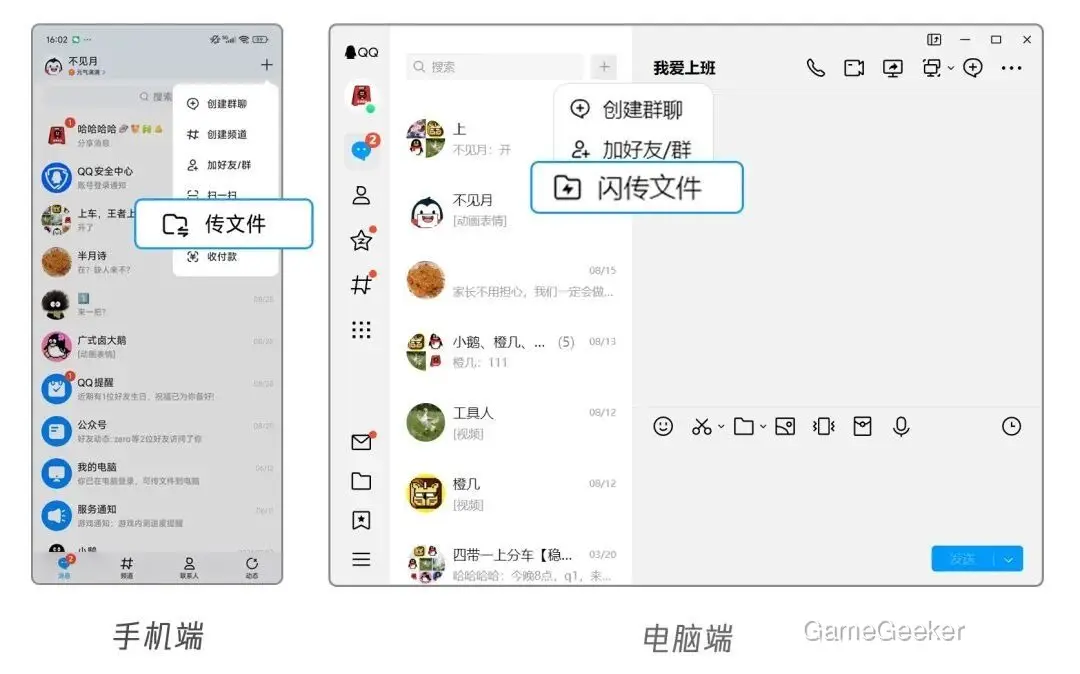
System share menu integration cuts the most steps. Previously, sharing from Photos or Files meant opening QQ, then navigating to Flash Transfer. Now QQ Flash Transfer appears directly in the OS share sheet. The 10GB video cap matters more than it sounds—WeChat's 200MB limit makes this a non-contest for anyone moving raw footage or game recordings.
This update repositions Flash Transfer from pure utility to lightweight distribution hub. Gallery mode improves browsing, Zone integration bridges storage ecosystems, announcements add social hooks, and system-level access removes launch friction. The four features work independently but compound each other's value. One gap remains: no cross-device sync progress tracking. Worth watching for in future releases.





Commentaires 0
Votre avis nous intéresse
Participez à la discussion et partagez votre avis sur ce jeu.
Aucun commentaire pour l’instant. Partagez votre avis.