
News
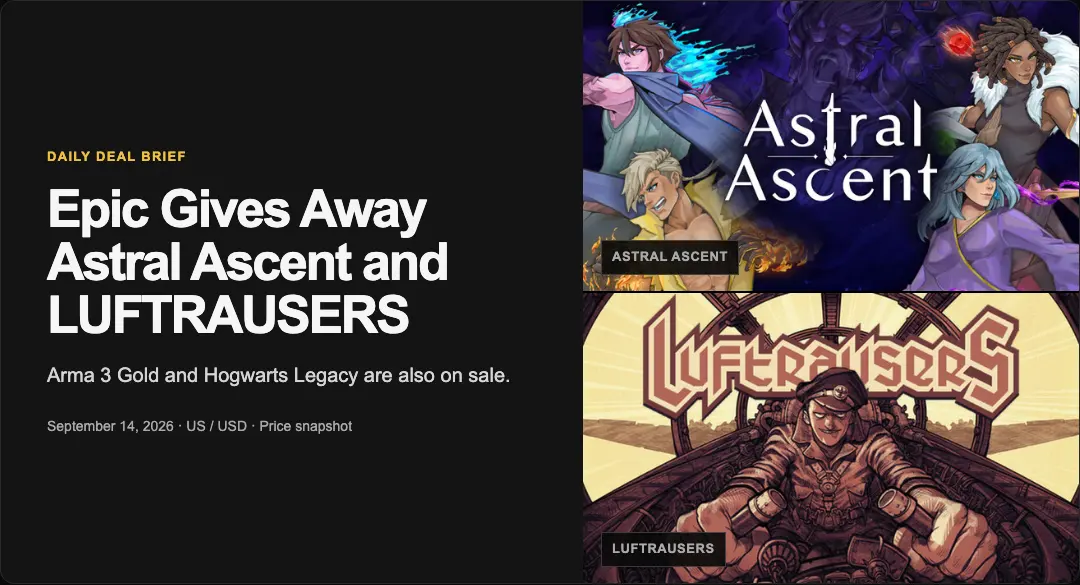
Grab two free PC games before Epic's clock runs out, while Undertale and Divinity: Original Sin 2 are 75% off
Astral Ascent and LUFTRAUSERS are free to keep today, while two of PC gaming's most celebrated RPGs cost less than $14 c
















Apple App Store China Brings Back 10% Apple Account Top-Up Bonus — But Only the First 100,000 Orders Get It
According to GameGeeker, Apple’s App Store China is running another 10% Apple Account top-up bonus, starting July 30. The extra credit can be used on apps, in-app purchases, and subscriptions, including game vouchers for Honor of Kings. The catch is that only the first 100,000 qualifying transactions get the bonus, and each Apple Account can claim it once.

The math is straightforward. Top up 5 yuan to 1000 yuan through the direct top-up option, and Apple adds 10% immediately. The bonus lands in the same transaction, so there is no separate redemption step. That turns 5 yuan into 5.5 yuan, 100 yuan into 110 yuan, 500 yuan into 550 yuan, and the 1000-yuan tier into 1100 yuan, capping the bonus at 100 yuan.
But the fine print is where it gets tactical. The promotion is mainland China only, and you need a valid Apple Account with purchase history to take part. The 10% bonus applies only to your first qualifying order during the campaign period, which means a test run at 5 yuan can burn your single chance. The first top-up is the only one that matters, so decide the amount before tapping the button.
The credit is flexible. It can buy apps, games, and in-app items, or cover subscriptions like Apple Music and iCloud+. For an Honor of Kings player who already buys vouchers, the bonus is essentially 10% off money you were going to spend anyway. For anyone who wasn’t planning to spend, it is just an excuse to buy something you didn’t need.
How much you should top up depends on your actual spending. Light users who only dip into mobile games should consider the 100-yuan tier for a clean 110-yuan balance. Mid- or heavy-spending mobile players, or anyone with regular iCloud+ and Apple Music bills, should look at the 500-yuan or 1000-yuan tiers to max out the 100-yuan bonus. The key is matching the top-up to future expenses, not letting the discount create new expenses.
To add funds, open the App Store on an iPhone or iPad, tap your profile icon, and choose Add Funds to Apple Account. The balance sits in the account and gets used across all eligible App Store purchases.
This is store credit, not a game-specific discount. It rewards players who already know they will spend on the App Store. The smart move is to check your subscriptions and in-game budgets before the 100,000 slots are gone.




Comments 0
Share your game review
Join the discussion and share your review of this game.
No comments yet. Share your review.