 Counter-Strike 2FreeLoading store offers
Popular PicksView All
123456789101112
10 Best Railway Network Management Games in 2026
10 Best Single-Player Photography Exploration Games in 2026
10 Best Single-Player Monster Taming Games in 2026
10 Best Immersive Sim Games on Steam (2026)
10 Best Mech Games on Steam (2026)
10 Best Single-Player Pirate Games on Steam (2026)
10 Best Steam Autumn Sale 2026 Games by Budget and Play Style
10 Best Rhythm Games on Steam (2026)
10 Best RTS Games on Steam (2026)
10 Best CRPGs on Steam (2026)
10 Best 4X Strategy Games on Steam (2026)
10 Best Platformer Games on Steam (2026)
Popular Games LikeView All
Games Like PowerWash Simulator - 12 Best Relaxing Cleaning and Restoration PicksGames Like Dave the Diver - 12 Best Diving, Cooking and Systems-Stacker PicksGames Like Road to Vostok - 12 Best Hardcore Survival Shooter PicksGames Like Path of Exile 2 - 12 Best Action RPG and Loot PicksGames Like Clair Obscur: Expedition 33 - 12 Best Turn-Based RPG PicksGames Like R.E.P.O. - 12 Best Co-op Horror PicksGames Like PEAK - 12 Best Co-op Climbing and Survival PicksGames Like Slay the Spire 2 - 12 Best Roguelike Deckbuilders to Play NextGames Like Mina the Hollower - 12 Best Top-Down Action and Zelda-Like PicksGames Like Baldur's Gate 3 - 12 Best CRPGs and Turn-Based RPGsGames Like Monster Hunter Wilds - 12 Best Co-op Hunting and Action RPG PicksGames Like Hollow Knight: Silksong - 12 Best Metroidvania Picks (2026)Games Like Final Fantasy VII Rebirth - 12 Best Action RPG & JRPG PicksGames Like Dead by Daylight - 12 Best Asymmetric & Co-op Horror PicksGames Like Forza Horizon 6 - 12 Best Open-World Racing & Driving Picks (2026)Games Like 007 First Light - 12 Best Stealth and Spy GamesGames Like Solarpunk - 12 Best Cozy Survival and Crafting GamesGames Like Subnautica 2 - 12 Best Underwater and Alien-World Survival GamesGames Like Lies of P - 12 Best Soulslikes to Play in 2026Games Like Hell Let Loose - 12 Best Tactical Milsim Shooters
Popular ReviewsView All

Mina the Hollower — Review

Clair Obscur: Expedition 33 — Review

Schrödinger's Call — Review

Resident Evil Requiem — Review

Shift At Midnight — Review

Mixtape — Review

Middle-earth™: Shadow of Mordor™ — Review

The Mermaid Mask — Review

MOLE — Review

Desktop Explorer — Review

Mad Max — Review

Go-Go Town! — Review

Dead as Disco — Review

Crushed In Time — Review

Beastro — Review

Moonlight Peaks — Review
CS2 Crosshair Hub Is Live, but How Useful Is One-Click Pro Crosshair Copying?
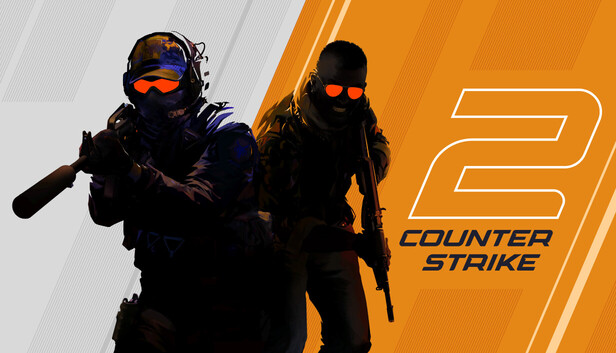
Gamersky has launched a Counter-Strike 2 crosshair database for CS2, letting players browse a large selection of pro crosshairs and copy the settings with a single click. The tool is available on both PC and app, and according to the original announcement, both clients offer the same experience. The idea is straightforward: click a player card, open that player’s crosshair, and copy the parameters directly.
The focus is narrow, and that helps. Rather than piling on extra features, Gamersky has pulled out one of the most searched and easiest-to-standardize parts of CS2 setup culture: crosshair parameters. That makes it feel more like a useful tool than a throwaway content feature. A crosshair is configurable data, not something players browse for entertainment, and the use case is obvious: get a pro’s settings quickly, then test them in-game. From a usability standpoint, the flow is about as frictionless as it gets: click a player card to view the details, then hit one button to copy.

The more important part is keeping the data organized and the experience consistent across platforms. The news post notes that the PC version has also gone live, and that different clients provide the same experience. That may sound minor, but it matters for a utility like this. The fields need to stay standardized, the copy function needs to work reliably, and the mobile and desktop versions cannot feel out of step. For a one-click copy feature especially, one failure is enough for users to stop trusting the whole thing.

The value here is obvious: it saves players from digging through streams, interviews, and community threads. It turns scattered information into a usable reference point. In a competitive game like CS2, crosshairs are not the deepest factor behind performance, but they are absolutely one of the first settings players want to change. Many newer players do not start with grenade lineups or movement routes. They start by grabbing a “pro-style” setup as a baseline, and that pattern is common enough.

There is a sensible platform angle here, too. A news site that only publishes articles usually gets short visits. Add a lightweight tool that players can return to regularly and that can be updated over time, and the visit stops being one-and-done. Gamersky has already said the crosshair database is still being updated, with more new players’ crosshairs to be added later. That suggests this is meant to be an ongoing reference page, not a one-off post.
If you already play CS2, the best way to use it is as a bank of starting points, not a shortcut to ranking up. Copying a pro player’s crosshair can save trial-and-error time, but it does not mean that setup will automatically suit your resolution, viewing habits, or visual preferences. Put simply, a crosshair is only one small part of how the game feels. It can make targets easier to read, but it cannot replace recoil control, crosshair placement, or decision-making. By putting the tool on both PC and app, Gamersky has at least completed the most useful loop: find the setting, copy the setting, and jump straight into the game to test it. That is more practical than a simple roundup article, and it shows a clear understanding of how players actually use a tool like this.
The original post also includes a Counter-Strike 2 hub link for readers who want more related coverage.
PC portal: https://www.gamersky.com/tools/cs2setting/
App portal: https://app.gamersky.com/tools/cs2setting/?gsGameId=1579211&gsAppChannel=zhunxing






Comments 0
Share your game review
Join the discussion and share your review of this game.
No comments yet. Share your review.