
News
Grab two free PC games before Epic's clock runs out, while Undertale and Divinity: Original Sin 2 are 75% off
Astral Ascent and LUFTRAUSERS are free to keep today, while two of PC gaming's most celebrated RPGs cost less than $14 c
















Let me start with the conclusion: the controversy around Recall this time is not making a mountain out of a molehill. The most frightening part is not whether it can remember things, but that even after you’ve clearly put a lock on it, someone can still wait until you open the door and casually carry your stuff away. It’s as absurd as locking your dorm room properly, only for an outsider to slip in right behind your roommate when they swipe their keycard.

First, what exactly is this feature? Windows Recall is an AI feature Microsoft launched for Copilot+ PCs. It records almost everything you do on your computer, then uses natural language to help you retrieve files, webpages, or chat content. It does sound convenient, especially for the kind of person who has a dozen windows open while doing homework. Finding things would definitely be much faster.
But the problem has never really gone away, because it records far too much. To ease everyone’s privacy concerns, Microsoft had already added several layers of protection to Recall, such as encrypted storage, a secure enclave—namely VBS Enclave—and Windows Hello biometric authentication. Under a normal understanding, this combination should have been the equivalent of having a door lock, a dorm supervisor, and an access card all in place.
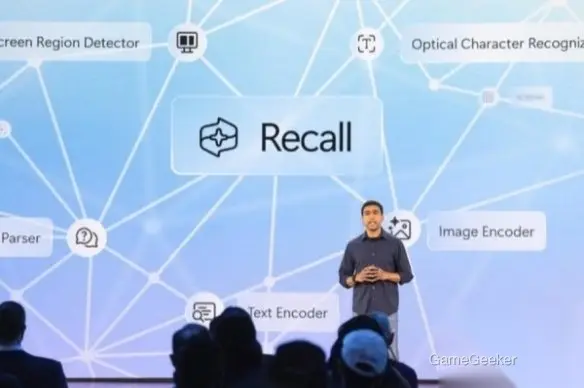
The most outrageous part is that the tool released this time by security researcher Alexander Hagenah, called TotalRecall Reloaded, does not try to brute-force the lock at all. It doesn’t crack encryption or bypass biometrics. Instead, it targets a flaw in Recall’s “trust boundary” during the data rendering stage. Put simply, after the user passes Windows Hello authentication, it injects code into the AIXHost.exe process and then takes sensitive data captured by Recall, including screenshots, chat logs, and browsing history.
What makes this especially scary is the word “lurking.” The article mentions that this tool can remain silently in the background and wait until you unlock the system yourself before making its move. It feels like inviting a friend to your dorm to play games, only to find out someone has been hiding behind the bed curtain the whole time, waiting until you turn on your computer to start peeking. There’s really nothing funny about that.

And Microsoft’s response was pretty firm as well, saying this does not count as a security bypass and does not constitute a vulnerability. Because from Microsoft’s perspective, once the user has already unlocked the device and completed authentication, any subsequent access to that data falls within the expected security model. That sounds very “correct from a procedural standpoint,” but the researcher pointed out the problem in return: you’re only defending against outsiders, while doing nothing to stop malware that is already lurking inside the machine from “hitching a ride.”
I think the core of the controversy is actually very clear. The question is not whether Microsoft has done security work, but whether its threat model is simply too optimistic. Real-world computer environments are never just about “attacks from strangers.” More often, the real trouble comes from programs that have already made their way into the system. No matter how strict the checks are at the door, if someone is already hiding inside the room, things can still go wrong.

Looking at the broader trend, this incident also drags an old problem of the AI era back into the spotlight: the more a feature understands you, the more directly the risks confront you. With a design like Recall that aims to “remember everything,” convenience and privacy were always bundled together. If you want the satisfying experience of casually asking for something and instantly getting it back, then you also have to accept that the system is holding a huge amount of your personal activity data. And once the boundaries are not clearly defined, trust can collapse very easily.
If you’re planning to buy a Copilot+ PC, my advice is simple. If you do heavy office work, handle sensitive materials, or have a lot of chat content, wait and see first—at least until Microsoft shows how it plans to address this kind of post-authentication data theft. And if you already dislike the idea of your system keeping a long-term record of your activity, then Recall as a selling point may not really mean much to you in the first place. There’s no need to take on the privacy burden just for a feature that “looks smart.” For ordinary users, whether an AI feature is useful matters a lot—but whether it makes people feel safe is what determines whether they can leave it on for the long term.





Comments 0
Share your game review
Join the discussion and share your review of this game.
No comments yet. Share your review.