
News
over the hill launches with introductory Steam offer and lower-priced key listings
Funselektor’s off-road exploration game is out on Steam at $19.99 with an introductory offer. Approximate third-party ke
















This round of Windows 11 updates in March was originally part of the routine maintenance cycle, but it ended up turning into a login incident with a fairly broad impact. For users who rely on the Microsoft account ecosystem, the issue was not just about pop-up error messages—it directly blocked access to core services such as Teams, OneDrive, Microsoft Office, and the Microsoft Store.
Microsoft has recently released the out-of-band update KB5085516, corresponding to internal build 26200.8039. Its core objective is very clear: to fix the account login issues caused by the earlier March 2026 cumulative update KB5079473. Judging from the outcome, this feels more like an official follow-up patch. The previous patch handled the rollout, while the later one was left to clean up. From a product rhythm standpoint, this is far from ideal, but at least the fix did not arrive too slowly.

The issue first appeared after the release of KB5079473 on March 10. A large number of Windows 11 users found that when signing in with a Microsoft account, the system displayed the message: “You need the internet for this. It doesn’t look like you’re connected to the internet,” even though the device’s network connection was actually working normally. On the evening of March 22, Microsoft confirmed that the cause was a misjudgment of network connection status after the update. Objectively speaking, this kind of issue is more troublesome than a simple crash, because it easily makes users assume at first that the problem lies with their local network, router, or carrier, significantly increasing the troubleshooting cost.
From a design perspective, this incident exposed the coupling risk between the system’s underlying network-state judgment and account services. Once the login chain misidentifies the network status, front-end applications can fail across the board even if they themselves have no issue—like a linked module in a second-generation product that still hasn’t been fully refined. It is worth noting that the main group affected consisted of regular users signing in with Microsoft accounts, while enterprise users using Microsoft ID authentication were not impacted. This indicates that the scope of the failure was not a platform-wide collapse, but rather a problem concentrated in the consumer-side authentication flow.
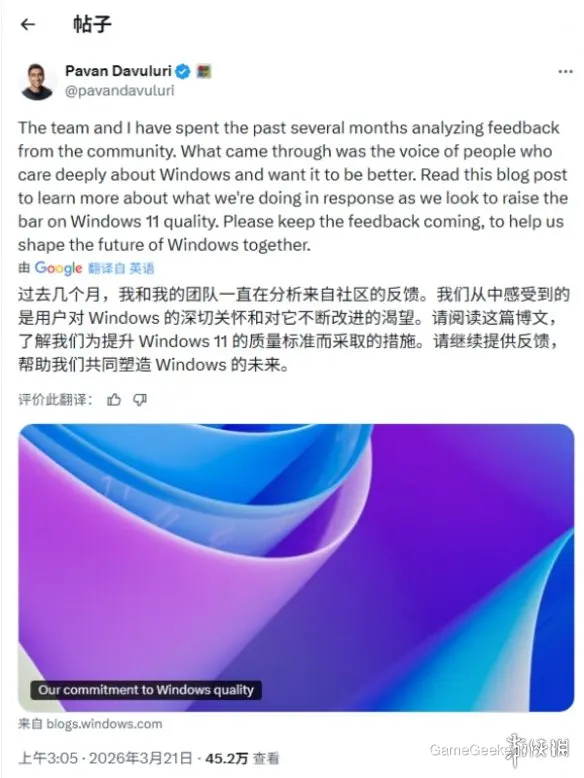
Before the official fix went live, Microsoft’s temporary workaround was to keep the device connected to the internet and then restart it, thereby resetting the network connection status. This method could serve as a stopgap, but its cost-effectiveness was average, because it was more of a workaround than a real fix. Now, KB5085516 can be obtained automatically through Windows Update, or manually downloaded and installed from the Microsoft Update Catalog, so the actual choice is not complicated.
If you have not previously encountered login issues, you can simply keep an eye on the normal rollout pace of system updates; if you have already run into problems signing in to OneDrive, Office, or the Microsoft Store, then this patch is basically a priority installation. The reason is simple: what it fixes is not an edge feature, but the backbone path of the Microsoft account system. For users who treat Windows 11 as a work platform, the value of this update is higher than that of an ordinary minor security fix.

From a broader perspective, out-of-band updates themselves are nothing unusual, but if the issue being fixed involves login, synchronization, and the store ecosystem, it directly affects how usable the system is perceived to be. Microsoft later stated that it would continue monitoring operating conditions and responding to feedback. For ordinary users, the more practical conclusion is this: among this round of March patches, KB5079473 looks more like a high-risk release, while KB5085516 is the corrective patch that brings the basic experience back up to an acceptable standard.




Comments 0
Share your game review
Join the discussion and share your review of this game.
No comments yet. Share your review.