Notícia
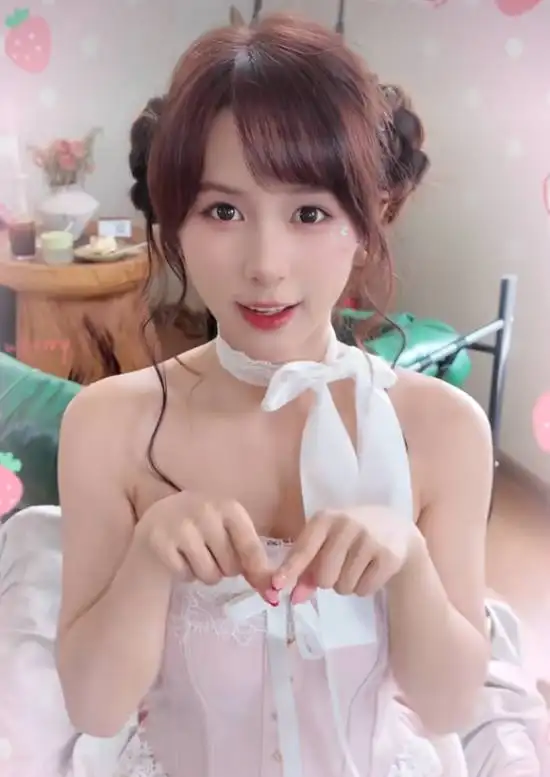
Bunny Garden 2 Adds Twin-Tail Lolita Roro in New Update
Bunny Garden 2's new 10-second trailer shows a twin-tailed lolita character in a sweet-yet-cutting promo. With six heroi















As a player who’s constantly tortured by platformer insta-deaths and puzzle stages, my first reaction when I saw this Windows 11 Insider Preview update was: isn’t this basically adding a new “gimmick” to the Lego-style “mechanism stages” for PC gamers? Microsoft has pushed Build 26300.8155 to the Dev Channel and Build 26220.8148 to the Beta Channel. The changes don’t look like much, but for “feel-first” users and multitaskers, they’re precisely the kind of subtle tweaks that cut right into the pain points.
The most interesting system-level new “mechanism” this time is support for haptic feedback on mice and touchpads. Previously it only showed up in a limited way on the Logitech MX Master 4; now it’s built directly into the system, basically moving what used to be a gimmick hidden in an item up into the level-rule layer. When you’re using compatible devices, you’ll feel a little “trap triggered” physical cue when snapping or resizing windows, aligning objects in PowerPoint, or even just hovering the cursor over the close button. This kind of feedback—like that little bounce you get when you land on a springboard in a platformer—will gradually change how you perceive the rhythm of desktop operations.
The fun part is that you can tune the haptic effects yourself. The path is hidden in “Settings > Bluetooth & other devices > Mouse > Haptic signals,” a bit like stuffing the control options into a secret room that you have to detour slightly to find. For players who run a lot of things at once—say, queuing for a game of League of Legends while editing video and checking guides—once you get used to these tiny vibrations, the rhythm when windows snap into place will feel more like a puzzle stage with a beat. You’ll start relying more on “feel” to judge whether a window is aligned, instead of staring at edge pixels forever.
Another easy-to-miss change is that the old Xbox full-screen experience has been renamed “Xbox mode,” with an improved first-run flow. This small naming tweak is pretty friendly to players who treat their PC like a console—it’s like replacing the sign on a platformer level with something more intuitive that tells you, “This is the game area, just jump right in.” The new-user walkthrough when you first enter this mode is smoother, so for people who just want to full-screen Forza Horizon with one click and play on the couch with a controller, there will be fewer “did I click the right thing?” moments than before.
On the performance side, Microsoft has made an optimization that looks boring but is critical for gamers: improving the launch speed of “startup apps” after boot—the list you see under “Settings > Apps > Startup.” Before, it was like every mechanism in a game map loading at once when you enter, causing inevitable stutters. Now it’s more like preloading trap triggers. If you’re used to having your voice chat, accelerator, and messaging apps start with Windows, and then launching Battle.net or the Xbox app, the overall tempo will feel closer to a smooth platforming level, instead of tripping over a rock on the starting step before you can run.
At the same time, this preview build fixes two bugs that were brutal for content creators and online gamers. The first was certain apps frequently failing to sign in recently—your network is fine, but the system throws an internal connection error. That’s like having solved the puzzle only to be told “door unlock condition not met,” which is a straight-up tilt. The second was a low-level crash that prevented some Insider members on the latest flight from printing at all. For creators who need to print contracts, storyboards, or guide drafts from time to time, that’s equivalent to welding the door at the end of the level shut again. Now at least the door hinges are fixed.
There’s also a small extra detail in the Beta Channel: a new icon in the print settings showing whether a printer supports Windows Protected Print Mode. It’s like that tiny marker in a level telling you if a floor tile is safe. For players who are also office workers sharing printers in a company or studio, this helps you quickly judge which device is suitable for sensitive documents, so you’re less likely to step on a hidden trap in terms of security.
If you’re the type who plays League of Legends, CS2 and other games on Windows that require frequent Alt+Tabbing, I’d recommend a “cautiously optimistic + light hands-on” approach to this update. The new haptic-feedback gimmick still depends on whether peripheral makers get on board, but once it becomes standard, it’ll make the feedback clearer when you tab out of a game to the desktop, adjust windows, or juggle voice and streaming tools, cutting down on tragedies like “clicking one step too far and closing the wrong window.” For tinkerers already on the Dev or Beta Channel, this round is more like quietly adding a few more springboards and signposts to the maze of operations you already know. The route hasn’t changed, but once you run through it, the rhythm really does feel more like a well-polished platforming level.



Comentários 0
Queremos saber sua opinião
Participe da discussão e compartilhe sua opinião sobre este jogo.
Ainda não há comentários. Seja o primeiro.