
























Opening
Some games split the room right down the middle, and PC Building Simulator splits it harder than most. The critics shrugged: OpenCritic parks it at 70, only a third of twelve outlets willing to recommend it, the verdict a polite "Fair." Then you open Steam and run straight into a wall of 93% positive, more than forty thousand reviews stacked into that coveted "Very Positive" badge. Nobody is lying. Two crowds simply walked up to the same open chassis holding two very different rulers.
So before anything else, work out which crowd you belong to. If you are the kind of person who has genuinely agonized over whether a graphics card is worth overclocking, the kind who would never crack open their own rig but still gets itchy fingers wanting to build another, this game was practically machined to your spec. It takes PC building — a real hobby with a real barrier to entry — and drops it into a sandbox where nothing breaks and nothing costs you a cent. But if what you actually want is a game with a story, a rhythm, a long-haul goal, it will quietly hand you the twentieth identical repair ticket and watch you put the controller down. This review's first job is to get you standing in the right line.
Story | 5.5/10
劇情: 5.5/10No main quest, no villain — the "story" is the rising line of a small business
Let me say it plainly up front: judged by traditional standards, PC Building Simulator's story is close to a blank page. There is no protagonist, no antagonist, no world to save. The only thread stitching Career mode together is a stack of customer emails. It does not tell a story. It tells a change of identity.

You start in a cramped workshop piled with old parts, taking on small jobs — swap some RAM, blow out the dust. As reputation and cash accumulate, you upgrade the workshop, unlock fiddly custom builds and overclocking commissions, and slowly grow from a backroom fixer into someone who lands the big contracts. That implicit climb is the only narrative on offer. What drives you forward is not curiosity about an ending; it is the pull of watching your own shop get bigger. For anyone wired for management games, that satisfaction of nursing a little business into a real one is enough to hook on its own.
Call it what it is: swapping plot for progression is the management sim's oldest trick. Rather than telling you a story, it lets you build one of your own — which job earned your first real payday, which upgrade finally unlocked the high-end commissions you had been eyeing. Those become the memories the game actually leaves behind. The trouble is that the better entries in the genre lavish far more attention on this thread, and the milestones here arrive with no ceremony to mark them, which is exactly why the score on this front was never going to climb.
The customer orders are the only "characters" — and they barely get sketched
If you insist on finding characters here, they are the people behind each order. One writes in a hurry, panicking that their machine went dark overnight with a deadline tomorrow. Another bounces in with a budget, eager for a rig that can run the game they have been waiting to play. Those little situational notes lend a touch of humanity to otherwise cold repair tasks.

And that is where it stops. These customers have no faces, no follow-up; you finish the job and never see them again. They are a wrapper draped over the work, not people anyone bothered to write. Step back and the picture is fair: peers in this genre lean thin on narrative across the board. House Flipper just hands you an empty house to fix; Two Point Hospital runs on dry wit rather than character arcs. So the low story score is not a sign this game falls behind its rivals — the category simply does not eat off narrative.
For its target player, "no story" is not a flaw but a design choice; the absence of a script is the point, leaving room for the build itself to be the show. Only if you came chasing drama or a long emotional arc will it genuinely send you packing, and you will likely know within the first hour which of those two readers you are.
The real protagonist is you: the immersion comes from the rig you built with your own hands
If you absolutely must name a protagonist, it can only be the person at the screen. The game hands you no written character to steer; instead it lets you pour your own taste, your budget instincts, your hardware loyalties into every machine you assemble.

It is a peculiar kind of nameless storytelling: every build you make — its colour scheme, its choice of parts, its lean toward silence or raw score — is a choice, and those choices are the mark you leave on this world. A player who favours a white case and a near-silent fan curve and a player who crams in RGB and chases nothing but benchmark numbers will live two entirely different stories. In that sense the plot is not on the screen; it is in your head, the tale you tell yourself about climbing from rookie technician to build-room hotshot. That immersion lands well for players who like self-expression, but it is too implicit, too dependent on the player filling in the blanks, to hold up a traditional high mark for story.
Audio | 7.0/10
音效: 7/10That satisfying click of a seated part: the sound design lends the build a sense of touch
Audio is the part of PC Building Simulator that is easiest to overlook and quietly earns its keep. There is no grand orchestral swell here; the effort goes into operational feedback. The click of a RAM stick locking into its slot, the soft snap of a cooler clamp, the low hum of a fan spinning up, the chime when the machine lights up after you hit the power button — every one of them matches the action your hands are carrying out.

It is those small sounds that hand a sense of touch back to a build happening behind glass. You cannot see or feel the clip, but that one click of confirmation tells your brain it seated.
For a sim that lives on authenticity, this kind of audio-visual sync does more for immersion than any backing track would, and it is the reason the audio lands comfortably above the middle of the pack. Strip the sound out and the whole act of building would feel oddly weightless, which is the clearest proof of how much quiet work it is doing.
A rap song about building the ultimate PC: the missing voice work is what keeps it merely solid
There is a flash of developer humour buried in the audio — a rap track about building the ultimate PC. Dropped into an otherwise earnest simulation, it reads as genuine affection for the subject, and it gives an otherwise functional soundscape a little personality.

But step past the feedback and that easter egg and the ceiling shows. The ambient design is functional: the workbench is quiet, the cues are clear, all of it serving immersion rather than atmosphere, with little real layering to it. Voice acting is almost entirely absent — customer orders arrive as text, and the audio shoulders no narrative duty at all. Set it beside a fellow chill-out sim like PowerWash Simulator, which builds an almost meditative loop out of repetitive labour and soft cues, and you see the divergence: PC Building Simulator takes the other road, authentic texture first, atmosphere second. That trade is not a mistake, but it does settle the question — the audio here is sturdy and sufficient, not standout.
The restraint is a feature, not a gap: it wants the quiet of a workshop, not a cinema score
Some players will grumble that there is barely any music here, but sit with it for a moment and the choice makes sense. The game simulates one person hunched over a bench, tightening screws and tucking cables. Drop a swelling orchestral score over that and it would jar — you are not fighting a boss, you are quietly practising a craft that wants your full attention.

So it pins the audio's weight on feedback rather than spectacle, letting you hear the echo of every action instead of drowning it under a soundtrack. That restraint is precious in a chill-out sim: it leaves a near-meditative quiet, the kind that lets you sink into the act of building itself. Seen that way, the audio is not underdone — it is dialled in. The trouble is that this sort of accuracy rarely translates into a high number on a scorecard, which is exactly why it settles at a sturdy, upper-middle mark rather than climbing higher.
Visuals | 7.5/10
畫面: 7.5/10A graphics card you can name on sight: the "accuracy" of 1,200 licensed parts is the whole pitch
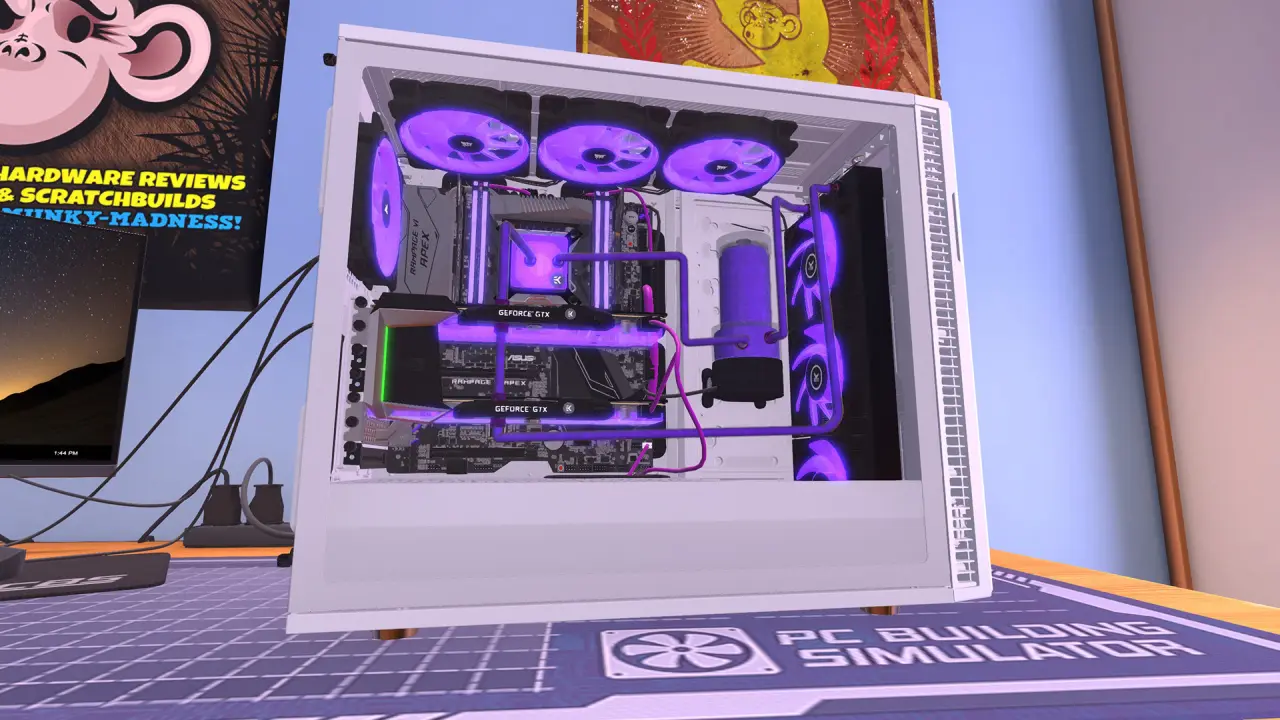
PC Building Simulator does not win on spectacle. It wins on accuracy. Forty-odd brands and over twelve hundred officially licensed components, every one of them modelled to match the real article: the brushed metal of a GPU shroud, the silkscreen printing on a board, the manufacturer logo stamped on a RAM heatspreader, the curve of a case fan's blades — all of it crisp and legible.

That precision is not showing off; it is part of the experience. Lean in toward a graphics card and you can often name the exact model it stands in for, and that flash of recognition is what makes the build land. For players who genuinely care about hardware, it beats any flashy effect: they do not want pretty, they want right, and this game gets right down to a level that is hard to fault.
That fidelity feeds straight back into play, too. When you pick parts to a customer's budget in Career mode, recognizing each piece by look and spec is its own small pleasure — you are not staring at abstract stat bars, you are choosing real things you may have handled in an actual store. The licensing pays a second dividend here as a teaching tool: spend a few hours and you start to absorb which cards sit at which tier, how a cooler footprint clashes with a case, why a power supply's wattage matters. The authenticity is doing quiet educational work, and it is a large slice of why the Steam crowd of hardware enthusiasts rates the game so highly.
The scenery is plain but it does the job — the UI is the real weak spot
Pull the camera back from the components and the other side shows itself: the environments are spare. Most of the time you are looking at a workbench and an opened case, with no visual wonder in the background to speak of. For a tool-shaped sim that is a reasonable trade — getting the parts right matters far more than dressing up the backdrop.

What genuinely drags is the UI and accessibility. The interface is dense and under-guided; the overclocking and benchmarking panels are unfriendly to newcomers, and the menu layers wander. On PC, with a keyboard and mouse, you can live with it. Move it to console — PS4, Xbox, Switch — where you push a mouse cursor across the whole interface with a thumbstick, and a task that should be effortless becomes a genuine chore. Technically it runs on Unity, stable across platforms with its scale tuned per device, but that interaction weakness is the main reason the graphics dimension stops short. Put bluntly: the part models earn a nine, the scenery a six, the UI a five.
Averaged out it lands mid-pack, and the only fair way to score it is to split those strands apart rather than blur them into one impression. Praise the models without flagging the interface and you mislead the buyer; pan the menus without crediting the modelling and you bury the thing it does better than almost anyone.
Advert-grade fidelity on real hardware: every part looks lifted straight from a product page
The fuss it makes over hardware detail deserves its own line. Parts here are not vague blocks standing in for the real thing; they are rendered to something close to advert quality — the cooling fins on a GPU, the blade texture of a fan, the heatsink over a board's power delivery, the glow bleeding through a case's side panel. Lean in and it all holds up to scrutiny.

That diligence has a neat side effect: it doubles as a hands-on hardware catalogue you can flip through. Plenty of players got their first clear look here at what a given GPU model actually looks like, or how a particular case lays out inside. For a newcomer about to build in real life but unable to tell one brand's silhouette from another, that "learn the faces in the game first" value is genuinely useful. The visuals here are not just pretty; they carry a chunk of the teaching and reference load, which is the smartest part of betting the whole presentation on accuracy.
Combat | 8.5/10
玩法: 8.5/10Seat the CPU, spread the paste, route the cables — every step lands with a click you can feel
The most valuable thing about PC Building Simulator is not how many systems it stacks up. It is how solid the simple act of building a single PC feels. You open an empty chassis, screw in the motherboard, pinch a CPU over its socket and press down gently, smear a dab of paste, clamp the cooler, push the RAM into its slots — and each step answers with a little click of confirmation, that exact reassurance you get in real life when a clip finally seats. The game gives it back to you.

What is rarer is that it refuses to cut corners. Power cables have to snake from the back panel to the right header on the board. The graphics card wants its bracket removed before it slides into the PCIe slot. Fan orientation, jumper direction, cable management — it all follows the real thing. For a veteran that is muscle memory, faithfully reproduced. For a newcomer it is a safe dry run, where the worst cost of plugging something in wrong is doing it over, not frying a board you paid actual money for. That honest, hands-on grounding is what carries the whole gameplay score.
Take the ticket, find the fault, swap the part, get paid: Career mode turns a repair shop into a loop
If piece-by-piece building is the foundation, Career mode is what bolts that feel into a loop you keep coming back to. You inherit a small PC building and repair shop, and every day you open your inbox to fresh orders. One customer wants you to diagnose why their machine boots to a black screen. Another hands you a budget and asks for a rig that can run a specific game. A third wants a graphics card swapped to chase a benchmark target.

You crack open the customer's machine, track down the dead component, fit the replacement, reassemble, deliver, collect the money — then plough those earnings back into stock, a bigger workshop, higher-tier jobs. That loop — take order, tear down, diagnose, swap, deliver for cash, expand — shares its skeleton with house-renovation sims like House Flipper and car sims like Car Mechanic Simulator.
What sets it apart is the thing inside the loop. Building a PC is a real-world hobby with a genuine barrier, so playing it carries a quiet sense of "I am practising an actual skill" that a reskinned sim simply cannot fake. The diagnostics step, in particular, asks something the others rarely do: you have to reason about why a machine won't post, not just scrub a surface clean, and that flicker of genuine problem-solving is the loop's secret weapon.
Benchmarks, overclocking and three modes: the depth is unlocked, not handed over
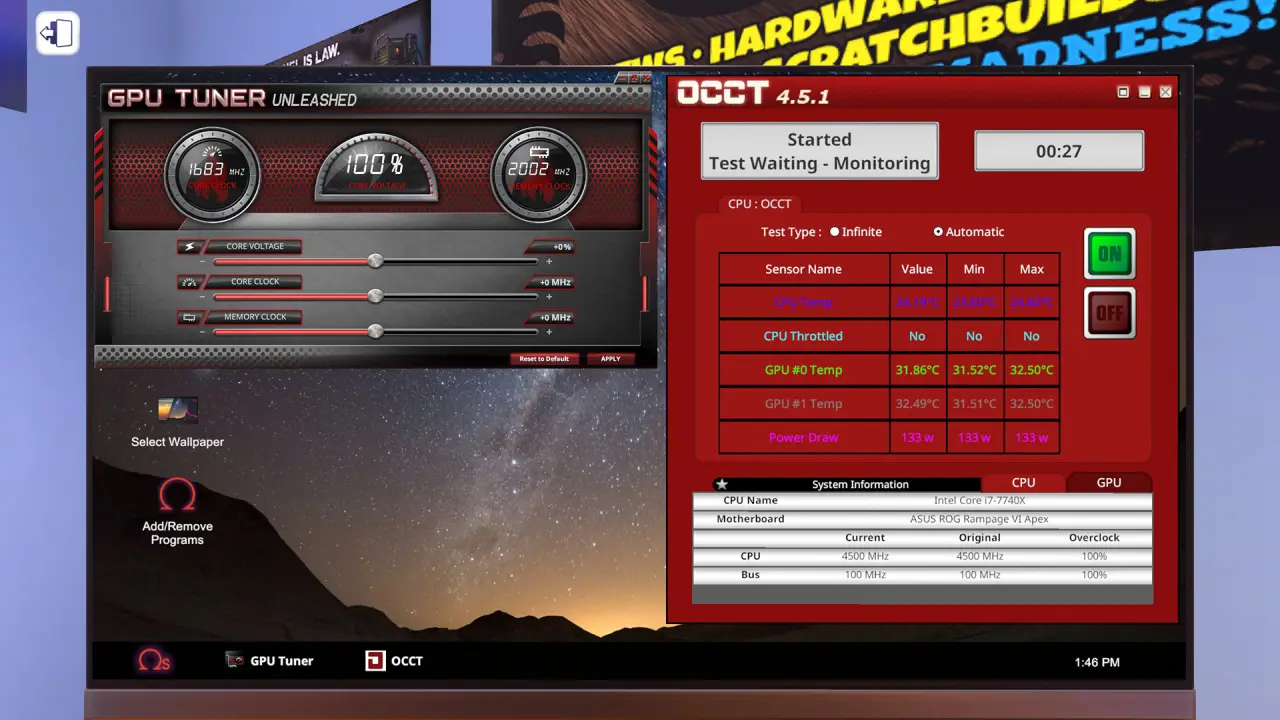
Building well is one thing; the game also hands you a ruler to measure it. Built-in 3DMark benchmarking lets you run a score on the rig you just assembled, and plenty of Career jobs exist to push that number past a target. You are no longer guessing whether the build is good — you are chasing a figure you can actually show off.

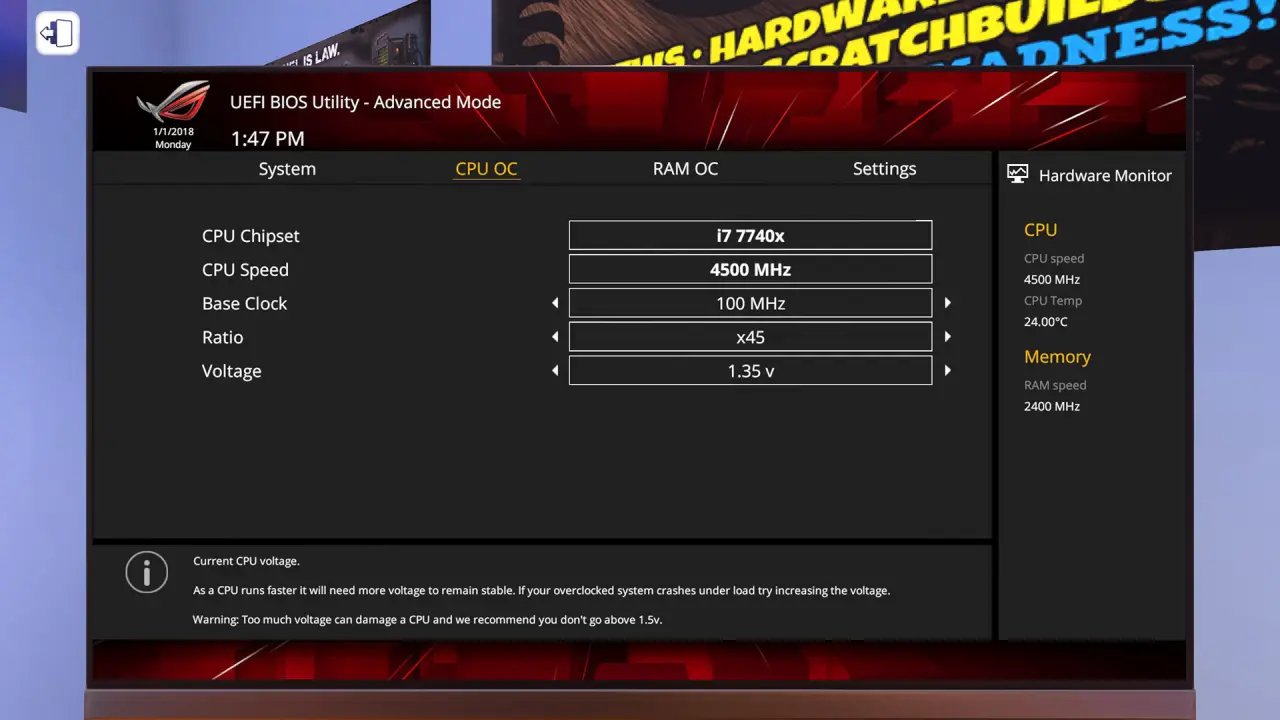
Advanced players can unlock overclocking on top of that, nudging GPU clocks and squeezing memory timings to inch the score higher. Three modes sort the audience cleanly: How to Build a PC is a guided tutorial aimed squarely at anyone who has never touched a chassis; Free Build unlocks every licensed part with no budget and no jobs, purely so veterans can assemble and light up the dream rig in their heads; Career is the main course. The catch sits in that loop's length. The repair tickets cycle through the same handful of faults, and by the twentieth one you can run it with your eyes shut. That repetition is the single biggest reason the gameplay score stops short of higher.
Content | 6.5/10
內容: 6.5/10Three base modes plus a free IT Expansion: one purchase already keeps most people busy
Start with what the base game hands you. The standard release already packs Career, Free Build and the How to Build a PC tutorial, and Career's open-shop-to-empire loop alone — set yourself a goal of turning a profit or chasing a benchmark — can soak up plenty of hours. There is no fixed runtime; how long it lasts depends entirely on how big a target you set yourself.

More to the point, there is the free IT Expansion. This 2021 update costs nothing yet stretches the technician's remit from pure hardware into software — installing operating systems, clearing viruses, sorting software faults — effectively gifting returning players a whole new job type. A free update that adds an entire category of play is uncommon generosity in a sim this size, and it lifts the base game's content density in a way you can feel. For anyone who bought in early, it is the kind of update that quietly justifies the original purchase all over again, the developer choosing to widen the experience rather than fence the new work behind a paywall.
The Esports Expansion and brand tie-ins carry the long tail — and so does the first game's polish ceiling
On the paid side, the headliner is the Esports Expansion, around thirteen dollars, adding a storyline about building competition rigs for esports teams, a batch of new graphics cards and team-branded RGB lighting. Its reception is middling — roughly 55% positive on Steam — and the consensus from players and press alike is "not much new, the core unchanged." It is a nice-to-have rather than a transformation: pick it up if it appeals, skip it without losing the main experience.

What actually keeps feeding the game is that ever-growing marketplace of real models, with brands like Fractal, EVGA, NZXT and Razer dropping fresh hardware in batches so the storefront always has something new to browse — a steady trickle of treats for anyone who likes chasing the latest gear. The long tail breaks down cleanly: a free expansion that widens the job types, a paid expansion that adds a themed pack, a marketplace that keeps restocking, and a built-in benchmark that gives you a target to chase. But honesty demands the caveat: the first game's polish has limits — the stiff interface, the same few repair faults — that only got systematically fixed in the sequel, PC Building Simulator 2, which also built the benchmarking in far deeper. So judging this game's content is not just about how much it stuffs in, but whether that content survives repeat play. The verdict: right direction, enough bulk, a touch short on polish — plenty for anyone here for the building, quick to run dry for anyone wanting endless novelty. Measured against what it charges and what it gives away for free, the package is honest about what it is; it simply asks you to supply your own reasons to keep opening the inbox.
The real content ceiling is you: it has exactly as much to do as the goals you set yourself
Any honest talk about content has to start with a fact: this game has no official "ending." Career mode never rolls a closing cinematic at some fixed point, and Free Build leaves the door open forever. Its content boundary is, to a large degree, the one the player draws.

One person plays to collect every top-tier part; another sets a target of squeezing out the highest benchmark in the game; another just wants to quietly clear a hundred tickets and watch the shop level to the top. That openness cuts both ways: self-driven players can mine dozens or hundreds of hours out of it, while anyone used to being led by the hand, waiting for a clear objective marker, will soon decide there is "nothing left to do." So the content cannot be pinned to a fixed hour count; the fairer way to put it is that it hands you a rich enough box of parts and tools, but whether you can make something interesting out of them is half on you. That is precisely why the same content reads as plenty to a hardware enthusiast and thin to a general player.






留言 0
歡迎發表遊戲評價
歡迎參與討論,分享對這款遊戲的評價。
暫無留言,歡迎分享對本篇評測的看法。