























Opening
Desktop Explorer is a single-player mystery thriller about digging through an inherited old PC, and what it nails is turning basic computer know-how into puzzle solving, so yeah, if you’re into interface-driven detective games, this is absolutely worth watching.
Here’s the hook: you’re not just clicking glowing objects and waiting for the plot to pat you on the head. You’re renaming file extensions. You’re digging through hidden folders. You’re cracking passwords that lead to more passwords. The game understands that weird little thrill of going, “Wait, I know how this works,” and then being right.
The easy comparison is Hypnospace Outlaw, because both games are built around fake old computer spaces.
But Hypnospace is goofy, loud, nostalgic web archaeology. Desktop Explorer looks like it’s taking that same idea and pushing it into something much heavier: an abandoned machine, a dead uncle, previous owners, buried secrets, and a mystery that gets personal fast.
And look, this is not the game you play when you want quick action or a chill night. The subject matter gets into depression, self-injury, PTSD, and family grief. But if you like Her Story, Hypnospace Outlaw, or Return of the Obra Dinn because they trust you to connect the dots yourself, Desktop Explorer is aiming straight at you.
Story | 8.5/10
Scénario: 8.5/10The Hook Is Simple: Your Uncle Leaves You a Computer and a Problem

The story setup in Desktop Explorer is clean, and honestly, that's why it works. You're handed an old PC from your uncle, who’s near the end of his life, and there’s a letter asking you to look into a disappearance. That’s it. No giant lore dump. No dramatic monologue about destiny. Just a machine that still boots, a family connection, and a question that immediately feels wrong in a very personal way.
And the smart move is that the game doesn’t tell this story like a normal adventure game. It makes you dig. The truth is scattered through chat logs, private files, old software, saved scraps, and the fingerprints of the people who used this computer before you. You’re not watching the plot happen. You’re reconstructing it from junk people left behind. That puts it in the same broad family as Her Story and Return of the Obra Dinn, where the pleasure is in making the timeline click in your own head. But Desktop Explorer feels smaller, closer, and nastier in a way. This isn’t about solving some grand historical incident. It’s about opening folders you maybe shouldn’t open, and realizing this machine has absorbed years of pain.
The main story structure is basically digital archaeology. One clue gets you into another account. One password leads to a locked folder. One renamed file extension suddenly becomes readable. And that matters because the story is tied directly to how you use a computer. You’re not just “finding clues” in the vague game-design sense. You’re doing the exact kind of stuff anyone who grew up poking around old PCs knows by instinct. Change the extension. Check the hidden folder. Try the obvious password, then the less obvious one. When that works, it gives the mystery a real “yeah, I’ve still got it” kick.
The Best Character Work Is Buried in Other People’s Mess

Here’s where Desktop Explorer gets sharp: its key characters aren’t introduced with neat profile cards or tidy confession scenes. You meet them through what they saved, what they deleted, what they failed to hide, and what they left sitting in plain sight because they assumed nobody would ever care. That’s a great fit for this kind of story. A desktop is messy by nature, and the game uses that mess to make people feel real.
The previous owners’ stories overlap as you dig deeper, and that overlap is where the emotional weight starts to land. At first, you’re chasing a disappearance. Then you’re tracking relationships, family grief, depression, PTSD, self-injury, and the kind of private damage people don’t label cleanly while they’re living through it. The official content warnings matter here. This is not a cozy nostalgia box, even if the 90s-style interface starts out with chunky grey windows, dial-up screeches, an original score, and that weird little notepad mascot barking at you from the corner. The further you go, the more the retro computer vibe stops being cute and starts feeling haunted.
The side material sounds like it’s doing real work too. The best praise around the pre-launch demo has been for the writing, with the demo sitting around 98% positive across about 345 reviews, and that tracks with the whole pitch. This kind of game lives or dies on whether the optional scraps feel like filler or like pressure building under the floorboards. Desktop Explorer seems to understand that side stories can’t just be trivia. They need to bend your read on the main case. They need to make you stop and rethink who was hurt, who was hiding something, and who was just trying to survive long enough to leave a trace.
Don’t Expect Big Choices, Expect the Story to Trap You in the Evidence

If you’re looking for a branching narrative where every big decision spins the story into a different ending, that doesn’t seem to be what Desktop Explorer is chasing. The pull here is investigation, not role-playing. You make progress by understanding the evidence, not by picking dialogue options or choosing a moral path. And I’m fine with that, because for this kind of mystery, too many branches can weaken the thing you actually came for: the slow, ugly process of making the truth line up.
The catch is that this structure puts a lot of pressure on pacing, and Desktop Explorer may not be perfectly smooth there. Previews have described hitting a wall on one early puzzle, then blowing through the next four almost immediately. That matters for story because puzzle rhythm is story rhythm in a game like this. If you’re stuck too long, the emotional thread cools off. If you solve too much too fast, the discoveries start to blur together. And when several narrative threads are running at the same time, the information load can spike hard enough that multiple previews mention keeping paper notes. That’s not automatically a flaw. Her Story and Obra Dinn also ask you to think outside the screen. But there’s a line between satisfying detective work and “wait, who was this person again?”
Still, as a story segment, I’d land high on this. Around an 8.5 out of 10 feels right. Desktop Explorer appears to take the fake-computer investigation format that Hypnospace Outlaw made playful and weird, then pushes it into something heavier and more intimate. Hypnospace is web archaeology with a goofy nostalgic grin. Desktop Explorer is interface archaeology wrapped around a private family wound. It won’t be for everyone. If you want action, speed, or a chill evening, no. And with one roughly 8-to-10-hour run, no DLC, and not much reason to replay once the mystery is cracked, the content is pretty finite. But for players who want to sift through digital leftovers and piece together what really happened, this story has teeth.
Audio | 8.0/10
Audio: 8/10The Modem Screech Does More Than Just Hit The Nostalgia Button

Desktop Explorer gets a lot of mileage out of sounds that should be annoying. That old dial-up screech, the little system blips, the dry click-and-open feel of poking around a fake old PC. In a weaker game, that stuff would just be cosplay. Here, it actually does work. It sells the 90s desktop fantasy, sure, but it also makes you feel like you're trespassing in something that was never cleaned up, never archived, and maybe never meant to be found.
The original score is doing the same trick. It doesn't just sit there going, "remember old computers?" It keeps one foot in cozy retro texture and the other in dread. That's the sweet spot for this game, because Desktop Explorer is not Hypnospace Outlaw with a darker wallpaper. Hypnospace is playful web archaeology. This is an inherited PC, dead uncle, buried-owner-secrets kind of mystery. So the music has to make the desktop feel familiar first, then slowly make that familiarity feel wrong.
And that's where the audio earns its place in the investigation. When you're renaming file extensions, digging through hidden folders, and cracking passwords, the soundscape gives those tiny actions weight. A solved password isn't an explosion. It's a little click, a new window, a new piece of a private disaster opening up. That's exactly the right scale for a thriller-mystery game like this.
No Voice Acting, And Weirdly, That’s The Right Call

There’s no big voice cast here, and I’m glad. Desktop Explorer is built around text, files, folders, outdated software, and the feeling that you’re piecing together someone else’s life from leftovers. Full voice acting could easily make that too clean. Too performed. The silence around the text matters, because it leaves you alone with what you’re reading.
That said, the game isn’t dead quiet. The little notepad mascot in the corner, constantly yapping away, gives the interface a strange kind of company. It’s cute, but not harmless. That kind of anthropomorphized desktop buddy fits the fake-old-software vibe perfectly, and it keeps the screen from feeling sterile while you’re bouncing between clues. It’s also a smart contrast: this chirpy little presence sitting beside a mystery that keeps getting heavier.
And that heaviness is important. The game deals with depression, self-injury, PTSD, and family grief, so the lack of spoken performance helps it avoid melodrama. You’re not being told how to feel by an actor leaning into a line. You’re reading, listening, connecting things, and slowly realizing what kind of story you’re actually in. For the right player, especially if you like Her Story or Return of the Obra Dinn style investigation, that restraint hits harder than a dramatic monologue would.
The Sound Turns Against You Once The Desktop Starts Breaking

The best audio idea in Desktop Explorer is that the sound design changes with your confidence. Early on, the system noises feel warm. They make you feel clever. You remember how computers work, you spot a weird file, you try something slightly nerdy, and the game rewards you. That’s the big hook here: it turns real computer literacy into puzzle language. Change the suffix. Find the hidden folder. Break the nested password. The sounds make each little breakthrough feel like, yeah, I still know how this works.
But as the mystery goes deeper, the same interface starts to feel less friendly. Late-game glitching pushes the whole thing toward the uncanny. Not jump-scare horror. More like psychological dread leaking through a familiar machine. The audio follows that shift, moving from cozy old-PC texture into something more fragmented and unstable. That’s exactly the lane this game needs to carve for itself: heavier and more personal than its obvious interface-driven cousins.
It’s not flawless. The pacing can lurch, and when the puzzle difficulty spikes or the narrative threads pile up, the audio can’t fully smooth that over. Previews have talked about hitting a wall on one early puzzle, then blowing through the next four, and that kind of uneven rhythm is real.
But for an 8.0 out of 10 experience, the sound design is a major reason the game sticks. It makes an abandoned desktop feel alive, then makes you wish it wasn’t.
Visuals | 7.5/10
Graphismes: 7.5/10The Best-Looking Thing Here Is a Bad Old Desktop

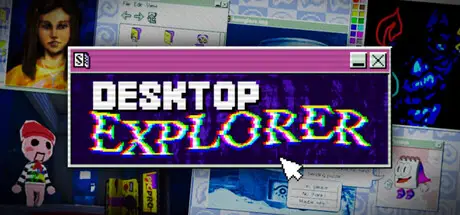
Look, Desktop Explorer is not trying to impress you with glossy lighting, perfect reflections, or some big “look at our engine” flex. The whole visual pitch is this grimy, fake-90s operating system, and that’s the right call. The windows are chunky. The grey panels look dry and unfriendly. The whole thing has that old-PC texture where every menu feels like it might hide something useful, broken, or deeply cursed.
And that matters because the UI isn’t just decoration. It’s the game. You’re digging through file managers, windows, screensavers, abandoned profiles, outdated software, and weird little apps like they’re physical rooms. A folder isn’t just a folder. A password box isn’t just a password box. The desktop itself becomes the level design. That’s where Desktop Explorer earns its 7.5 here: it understands that “using a computer” can be a visual language for puzzle-solving. Renaming file extensions, finding hidden folders, cracking nested passwords, chasing one clue into the next one — the screen keeps rewarding the part of your brain that says, “Yeah, I know how this stuff works.”
The tradeoff is obvious. If you want high-fidelity character models, cinematic vistas, ray tracing, DLSS showpieces, or some huge technical showcase, this is not that game. There’s no reason to judge it like that. Its low-fi look is a style choice, not a budget apology. The art direction works because it’s committed. Rugged grey windows, a yapping notepad mascot in the corner, dial-up modem screeches, and an original score all sell the feeling that this machine was used, abandoned, and left waiting for you to make one terrible discovery too many.
When The Flat Screen Cracks Open, It Gets Nasty Fast

Here’s where it gets good: Desktop Explorer doesn’t stay locked in flat desktop windows forever. When you hit key discoveries, it can throw you into these low-poly retro 3D scenes, and that contrast does a lot of work. The normal desktop is dry, boxed-in, almost cozy in that old-computer way. Then the game pulls you out of the interface and into something rougher, stranger, and more exposed. That shift hits harder because the game spends so much time training you to trust the screen.
The late-game glitching is the other big visual move. Flickers, corruption, and broken-looking UI effects push the tone away from nostalgic PC archaeology and into something more uncanny. It’s not leaning on jump scares as the main trick. It’s more about psychological dread, fragmented memory, and the feeling that the computer is no longer just showing you files. It’s showing you damage. Quick warning, though: if flashing or flickering visuals are a problem for you, take the photosensitivity side of this seriously.
Compared with Hypnospace Outlaw, the difference is pretty clear. Hypnospace is playful, loud, and nostalgic in that fake-web archaeology way. Desktop Explorer uses a similar “interface as world” idea, but it presses it into a heavier private mystery about an inherited old PC and the people who used it before. Visually, that makes the same kind of browsing feel more intimate and more uncomfortable. You’re not just laughing at weird old internet pages. You’re poking through someone’s life, and the graphics know when to stop being cute.
It Runs On Almost Anything, But It Still Has A Ceiling

The upside of this visual style is that the barrier to entry is tiny. We’re talking about a game that lists around 400MB, a dual-core CPU, and support going back to Windows 7 and macOS 10.12. That fits the whole thing perfectly. A fake old desktop mystery should not need a monster PC. It should feel like you found it on a dusty machine in the corner and somehow it still boots.
As for platform differences, there’s no big “this version looks dramatically better” story to tell from what’s available. And that fits. Desktop Explorer is built around readable UI, controlled low-fi textures, retro 3D interruptions, glitch effects, and audio-visual mood. This isn’t the kind of game where one platform lives or dies by sharper shadows or better reflections. The important question is whether the windows are readable, the clues are legible, the fake software feels believable, and the atmosphere lands. That’s the visual bar.
But the ceiling is real. A 7.5 makes sense because the look is smart and purposeful, not spectacular. The interface-driven presentation is memorable, and the 90s desktop recreation has personality, but the uneven puzzle pacing can make the screen feel less elegant when you’re stuck early and then blow through the next few solves. And when several story threads stack up, the visual information load can spike hard enough that previews mention keeping paper notes. So the graphics are doing real design work here. They’re just not trying to be beautiful in the usual way. They’re trying to make an old computer feel like evidence.
Combat | 8.0/10
Gameplay: 8/10The puzzles work because they ask if you actually know how to use a computer
Here’s the thing Desktop Explorer gets right almost immediately: it doesn’t treat “using a computer” like set dressing. That is the game. You’re digging through an old inherited PC, poking around abandoned profiles, and the actual puzzle language is stuff you’ve probably done in real life. Change a file extension. Hunt for a hidden folder. Resize and drag windows until two scraps of information finally line up. Check browser history because of course the weirdest clue is sitting in browser history.
That sounds simple, but it gives every solve this very specific little ego kick. Not “I found the glowing key.” More like, “Yeah, I still know my way around a machine.” One password gets you into a folder, that folder points at another locked thing, that locked thing spits out a clue for the next layer. Desktop Explorer is at its best when it turns the old PC into a chain of small, practical breakthroughs. You’re not casting spells. You’re doing desktop archaeology with enough real computer logic that the answers feel earned.
And I like that the game doesn’t completely leave you to rot when you miss something obvious. The notepad mascot sits in the corner and gives you that softer kind of guidance, the kind that nudges instead of solving the thing for you. That matters, because interface puzzle games can get obnoxious fast when the answer is technically “fair” but buried under three menus and one tiny visual clue. Here, the hints seem built to lower the frustration without killing that “I figured it out” feeling.
The retro mini-games are a smart touch too. They’re not just nostalgia toys sitting in the corner. They act as clue containers, little playable artifacts inside this fake old computer. That’s exactly where Desktop Explorer’s 90s desktop reconstruction pays off: the grey windows, the noisy modem screeches, the original score, even the slightly irritating little desktop personality. It’s cosy for about five minutes, and then the mystery starts making that cosy feeling feel unsafe.
It’s closer to Hypnospace Outlaw than a point-and-click, but meaner and more grounded
The easy comparison is Hypnospace Outlaw, and that comparison makes sense. Both games are about interface exploration. You’re not running around a 3D mansion pulling levers. You’re reading, searching, opening ugly little windows, chasing clues through fake software, and slowly building a picture of who used this machine before you got here.
But Desktop Explorer’s angle is heavier, and honestly, more personal. Hypnospace Outlaw has that chaotic fake-internet energy, all goofy web archaeology and loud nostalgia. Desktop Explorer takes a similar kind of interface play and presses it into a private mystery about an old PC, a dead uncle, and the buried secrets of previous owners. The thrill isn’t just “look at this weird fake webpage.” It’s “why was this file hidden, who made this password, and what were they trying not to say out loud?”
That’s also why the hands-on computer work feels tighter here. The solutions lean closer to real desktop behavior. You’re renaming things, uncovering hidden files, cracking nested passwords, moving windows around, checking records, and connecting evidence like someone who has actually lived on a PC. It sits in that same broad family as Her Story, Return of the Obra Dinn, and Hypnospace Outlaw: games where the fun comes from reading the mess, not following a waypoint. But Desktop Explorer has its own lane because the toolset feels mundane in the best way. The fake computer is not just the skin. It’s the rules.
And when the late-game glitching starts bending that old desktop language, that’s where the tone gets sharp. This isn’t selling jump scares as gameplay. It’s more about psychological dread, broken memory, and the feeling that the machine is becoming less stable the deeper you dig. That works because the early game teaches you to trust the interface. Then the game starts making that interface feel wrong.
The difficulty curve has some rough bumps, but the best puzzles hit hard
Now, I don’t think Desktop Explorer’s pacing is clean. Previews have called out an early puzzle that can stop you cold, followed by several puzzles that go down almost instantly. That’s not a tiny issue in this kind of game. In an action game, one weird difficulty spike can be background noise. In an investigation game, one bad wall can make you doubt every clue, every file name, every bit of interface logic.
The good news is that the game’s structure helps soften that. Because the mystery is layered through folders, passwords, software, browser traces, and mini-games, you’re usually doing something. You’re rummaging. You’re testing a theory. You’re checking whether that suspicious word is a password, whether a file extension is lying to you, whether a hidden directory is the missing link. When it works, it has that great “one more drawer” pull. You solve one thing, and the next locked door is already staring at you.
The catch is information load. When several narrative threads are running at once, this can get dense enough that previews mention keeping paper notes. Personally, I don’t hate that. For this genre, a notebook can be part of the ritual. But there’s a line between “I’m investigating” and “I’m doing admin,” and Desktop Explorer sounds like it sometimes steps right up to that line. If you’re the kind of player who liked building truth out of fragments in Her Story, you’ll probably be fine. If you need the game to constantly tell you what matters, this is going to rub.
So for gameplay, I land around an 8 out of 10. The idea is strong, the interaction is specific, and the best solves use real computer literacy in a way games almost never do. But the uneven difficulty keeps it from feeling perfectly tuned. The highs are high because the game trusts you to think like a user, not a character sheet.
This is not a chill mystery box, and the 8-to-10-hour shape matters
Desktop Explorer is a single-player thriller mystery, and that matters because the gameplay isn’t built for comfort food. The subject matter includes depression, self-injury, PTSD, and family grief, so if you’re looking for a breezy evening of retro PC vibes, this is not that. The old software, the mascot, the modem noise, all of that can look cute from a distance. But the game is using that familiar desktop language to dig into something much heavier.
That also affects who this is actually for. If you love narrative puzzle games where you sift through records, compare scraps, and slowly pin down what happened, this is aimed right at you. Her Story fans, Hypnospace Outlaw fans, Obra Dinn fans, especially the ones who enjoy taking notes and following a hunch across several disconnected clues, should be paying attention. If you want action, speed, combat, or constant dopamine, you’re in the wrong folder.
The content shape is pretty lean too: one run is roughly 8 to 10 hours, with no DLC and not much real replay once the mystery is cracked. For a story-driven investigation game, I’m mostly okay with that. These games live and die on the first discovery. Once you know the password chain, once you understand the hidden folders, once the secrets are out, you can’t really unknow them. The value has to come from how satisfying that first solve path feels.
And based on the pre-launch buzz, especially the demo landing around 98% positive, the writing seems to be the part people are latching onto. That lines up with the design. The mechanics are clever, but they only matter if the files are worth opening. Desktop Explorer’s strongest pitch is that every practical little computer action pulls you deeper into a personal case you probably shouldn’t be able to put down.
Content | 5.5/10
Contenu: 5.5/10The Best Two Hours Are Free, And That Says A Lot
Desktop Explorer makes a strong first impression because it understands something a lot of puzzle games only pretend to understand: using a computer can be the puzzle. Not “click the glowing folder.” I mean actually thinking like somebody who grew up poking around old machines. Change a file extension. Dig through hidden folders. Notice a password pattern. Open some crusty old software and realize the weird little utility is the key to the next locked door. That stuff lands because it makes you feel clever in a very specific way. Like, yeah, I do know how to use a computer. Let me cook.
The free demo is the cleanest way to test whether this game has its hooks in you. It’s a separate free appid, it covers the opening stretch, roughly the first ten puzzles, and it runs about two hours. That’s a generous demo, and it’s also pretty revealing. You get the abandoned PC setup, the inherited mystery, the 90s desktop texture, the grey windows, the dial-up screeches, the weird little notepad mascot barking at you from the corner, and the first taste of how one solve unlocks the next.
But here’s the catch: that demo also points at the full game’s biggest problem. The rhythm can wobble. Previews have talked about getting slammed by one early puzzle, then breezing through the next four almost immediately. That’s not a tiny issue in a game built around investigation momentum. When the flow works, Desktop Explorer feels like Hypnospace Outlaw got dragged into a much heavier family mystery. When it doesn’t, you’re staring at an old desktop wondering whether you missed a clue, misunderstood the interface, or the puzzle just spiked for no good reason.
Eight To Ten Hours, One Mystery, Not Much Reason To Go Back
The full run is roughly eight to ten hours, and for this kind of game, that’s a decent shape. It’s not some huge open-ended archive you live in for weeks. It’s a single-player thriller mystery about rummaging through abandoned profiles on an old PC and figuring out who used this machine, what they were hiding, and what happened to them. That size makes sense. A mystery like this can’t stretch forever without losing pressure.
The problem is, once the mystery is cracked, Desktop Explorer doesn’t have much of a second life. There’s no paid DLC, no season pass, no long tail of extra cases waiting behind the main story. It’s a one-time purchase, one main run, and then you’re mostly done. That’s not automatically a flaw. Honestly, I’d rather have a focused eight-hour mystery than a padded twenty-hour one. But for value, it matters. Once you know the answers, the magic trick doesn’t reset. You can replay it to catch details, sure, but the real thrill is discovery, and discovery only hits once.
That’s why the 5.5 out of 10 for this content side feels fair to me. The good stuff is genuinely good. The interface puzzles have identity. The atmosphere has teeth. The writing has been the big pre-launch talking point, helped by a demo sitting around 98% positive. But content-wise, this is lean. If you want a mystery box you can open, solve, and put down, that’s fine. If you want a game with legs, updates, challenge modes, or meaningful replay, this probably isn’t that.
Bring Notes, Because The Story Does Not Travel Light
The narrative is where Desktop Explorer gets more ambitious, and also where it asks more from you. This isn’t just “find one password, open one folder, read one diary.” Several threads can run at the same time, and the information load can spike hard. Multiple previews have mentioned keeping paper notes, and that rings true. If you’re the kind of player who loved Her Story, Return of the Obra Dinn, or Hypnospace Outlaw because you enjoy building your own evidence board in your head, that’s the lane. This game wants you to sort clues, names, timelines, software oddities, and emotional context.
That’s also where the tone matters. Hypnospace Outlaw is goofy, nostalgic web archaeology with a mean little bite under the jokes. Desktop Explorer uses a similar fake-interface pleasure, but it pushes it into something more personal and heavier. The late-game glitching reportedly shifts the mood away from cozy retro play and toward psychological dread, fragmented memory, and unease. Not jump-scare horror. More like the computer itself is becoming less reliable as the truth gets uglier.
And that heaviness is not decoration. The subject matter includes depression, self-injury, PTSD, and family grief. So no, this is not the game I’d point you to for a chill night after work. It’s also not for you if you need action, speed, combat, or constant payoff. But if you like narrative puzzle games where “checking the files” is the gameplay, and you’re okay taking notes while a mystery gets nastier, Desktop Explorer has a real audience. It also supports Simplified Chinese, Traditional Chinese, English, and Latin American Spanish, so the localization side is playable for a decent spread of players. Just know what you’re buying: a sharp, moody, one-and-done investigation, not a big content machine.






Commentaires 3
Votre avis nous intéresse
Participez à la discussion et partagez votre avis sur ce jeu.
Making actual computer use the puzzle language is such a good hook, and the retro OS framing probably sells the missing-person story better than a standard mystery game would.
True, that setup can make the mystery feel more personal instead of just clever; I usually bounce off gimmick-heavy puzzle games, but the intimate missing-person angle makes this one sound worth watching for a sale.
I like when a game commits that hard to its own logic, and tying a missing-person story to a retro desktop sounds way more affecting than a normal puzzle setup.
Aucun autre commentaire