Steam Account Value Calculator
Estimate a public Steam library using recorded prices for your selected region. Paste a profile link without signing in, or connect Steam after sign-in. The estimate is not your spending or an account resale price.
Library value for your selected region
We total the recorded Steam list prices of games in the public library for your selected region, using the current price when a list price is missing. Games without a usable regional price are excluded. Skins, trading cards and other inventory items are not counted. The result is a library price estimate, not actual spending or an account resale price.
Library valuation and SteamID tools
Features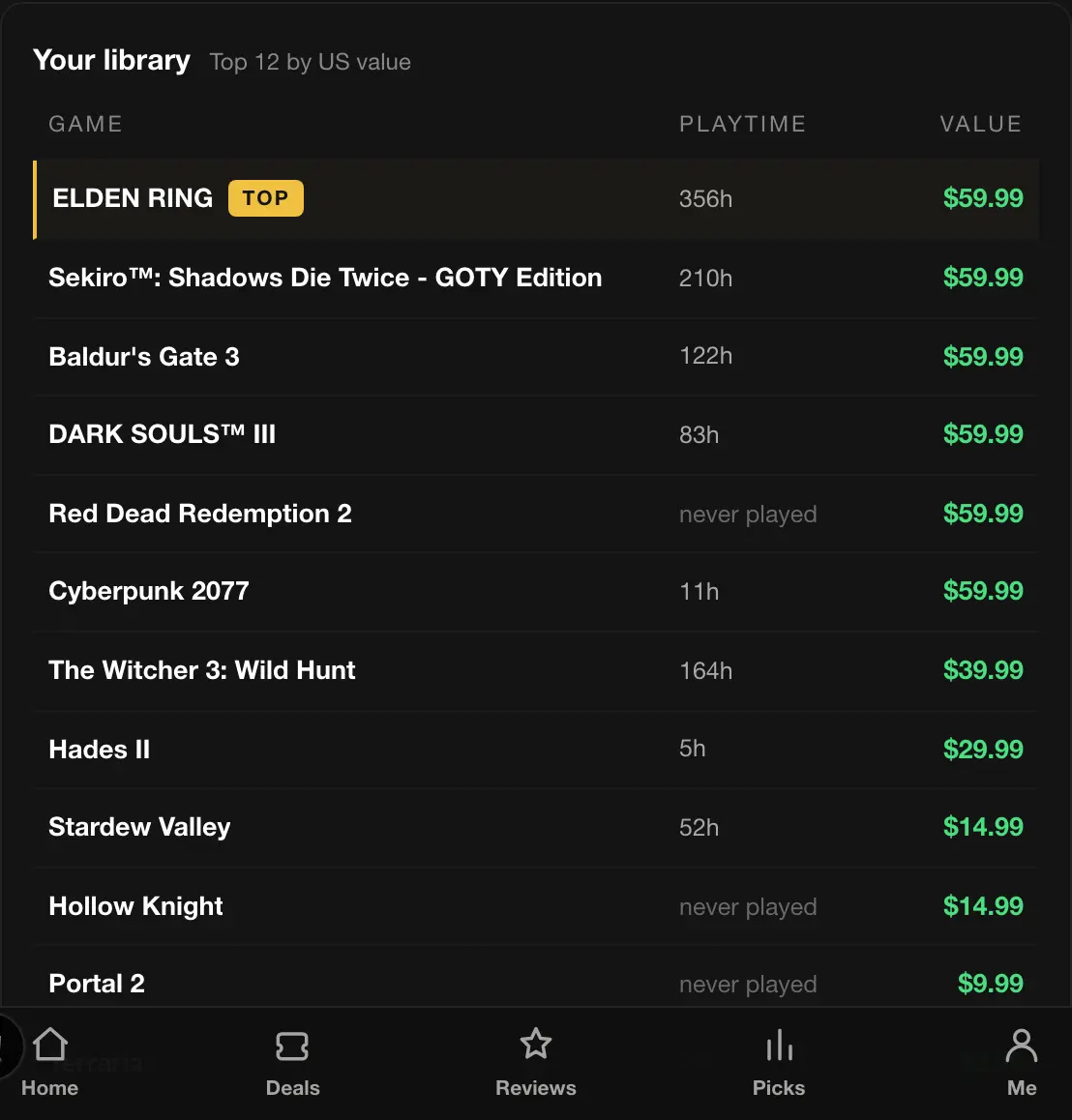
Games ranked by estimated value
View the top 20 games by estimated value, with covers, playtime and recorded regional prices. The highest-priced game is marked TOP; the values describe game prices, not resale proceeds.
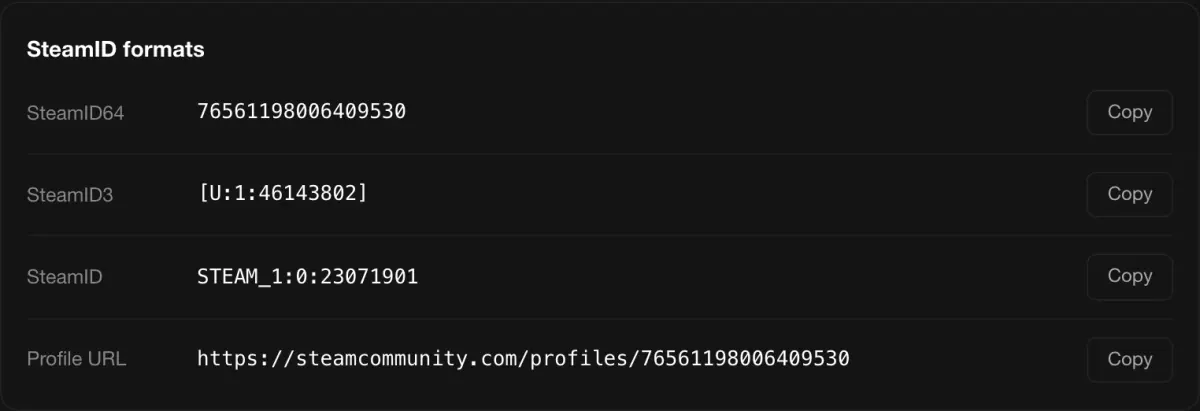
Every SteamID format, plus a shareable value card
Copy SteamID64, SteamID3, the legacy STEAM_ format and the community profile URL. Signed-in users can also generate a card showing their library estimate.
How It Works
Step by step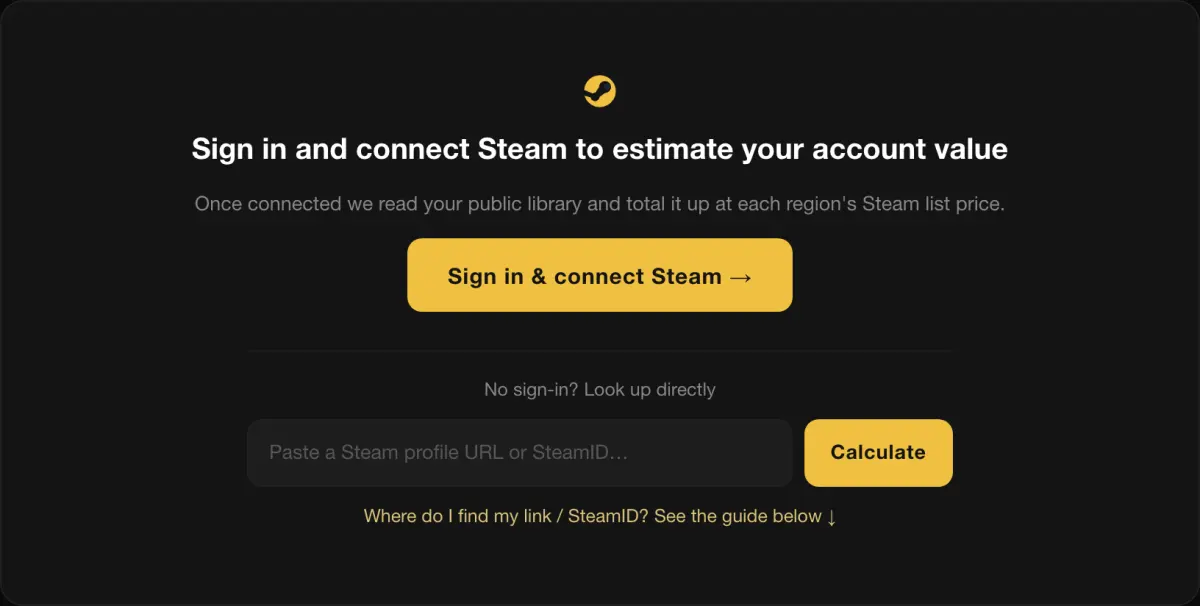
Choose how to look up
Sign in and connect Steam on its official page to associate the results with your account. You can also look up a public profile without signing in by entering its URL or SteamID.
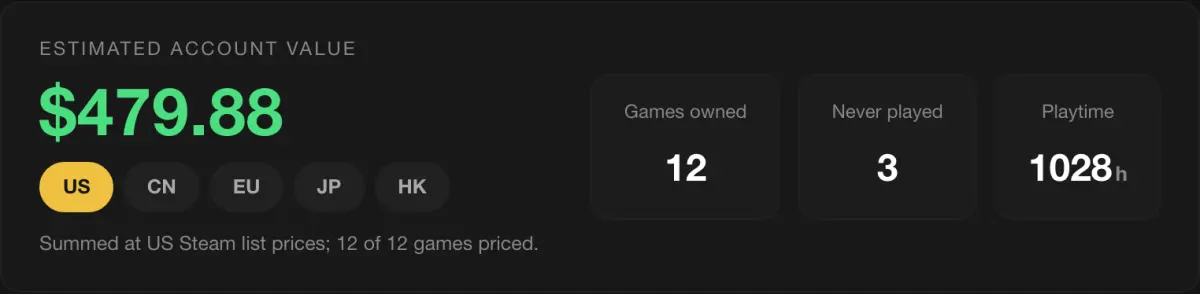
We read and value the library
The tool reads the public library through Steam's API and totals available prices for the selected region. It uses the recorded list price first and the current price when no list price is available, alongside owned games, unplayed games and playtime.
Browse the list, compare regions
Check each game's estimated value and playtime. Change the store region to compare available regional prices; games without a usable price in that region are excluded.
Share your library value card
After signing in, select "Share my value" to generate a card with the library estimate and top games. Share or download it, and copy SteamID formats from the result.
Check past prices with the Steam Price History Checker →
Finding your Steam profile URL or SteamID
Find your linkOpen your Steam profile page
In the Steam client, select your name in the top-right corner, then "Profile". In a browser, sign in at steamcommunity.com and select your name in the top right.
Copy the profile address
In the client, right-click your profile page and select "Copy Page URL". In a browser, copy the URL from the address bar. The address has this format:
https://steamcommunity.com/id/yourname
https://steamcommunity.com/profiles/7656119…
Paste it into the box above
Paste the address into the field above. Accepted formats are a full profile URL, a 17-digit SteamID64 or a custom URL name:
https://steamcommunity.com/id/st4ck
76561198006409530
st4ck
Want to see your SteamID64 directly? In the Steam client go to Settings → Interface and enable "Display web address bars when available" — your profile page then shows its full URL.
Valuation features and data
Valuation detailsProfile lookup options
Sign in and connect Steam to view your library, or enter a public profile link without registering.
Prices for the selected region
The estimate uses recorded Steam prices for your selected region, not an exchange-rate conversion of another region's library total.
Public data only
Authorization happens on Steam's official OpenID page — we don't ask for your Steam password, and you can unlink anytime.
Core features are free
Valuation, the library list and SteamID conversion are currently free to use.