Videos are in English; local-language text and images can be used independently. Open on YouTube
Search for a Game
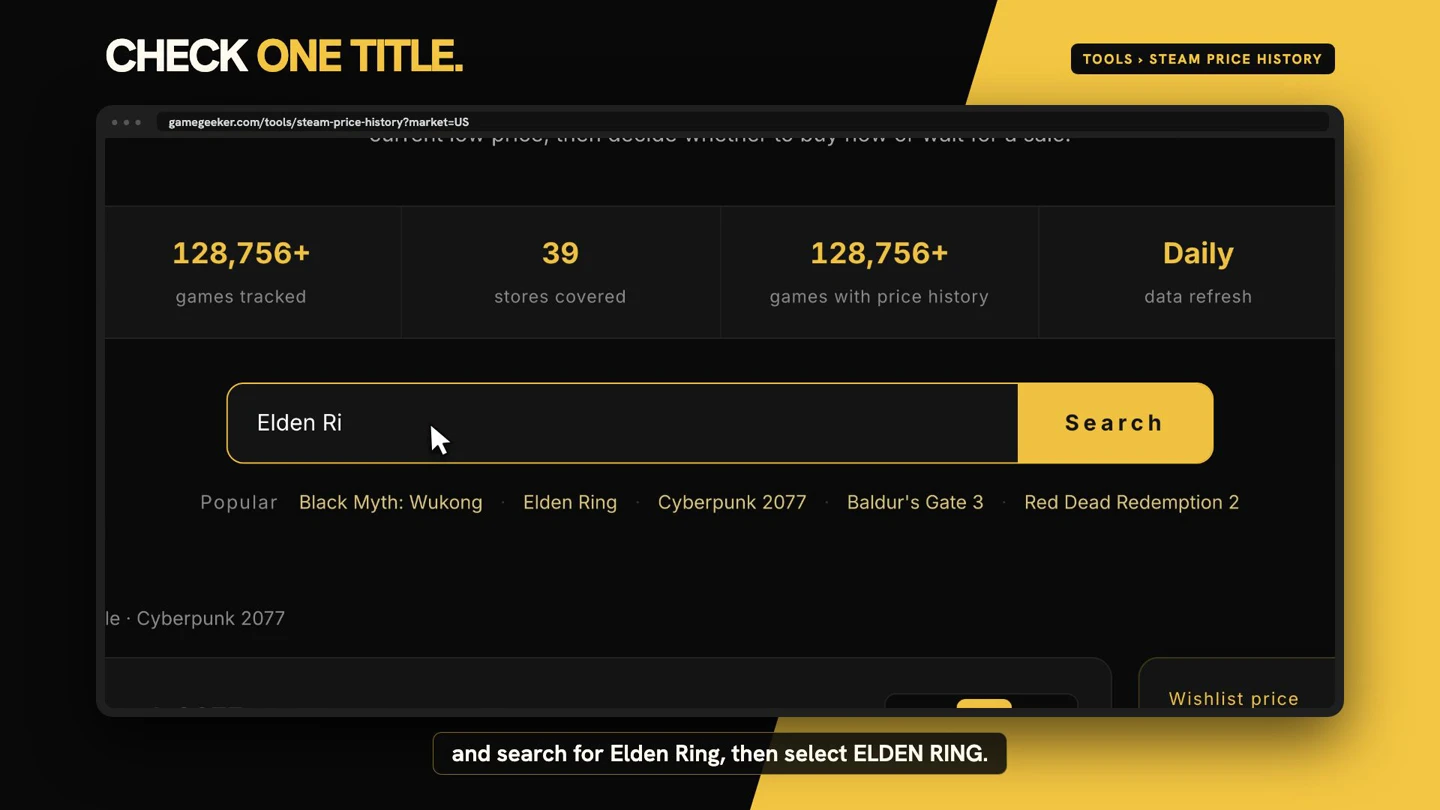
On the GameGeeker homepage, Historical Lows shows PC games currently at or below their recorded historical lows. Open Tools, choose Steam Price History, search for Elden Ring, and select ELDEN RING from the results to open its price history.
Choose Your Region
Set the region first because offers and currency follow that selection. In the demonstrated example, Germany is selected and prices appear in euros. This region choice determines how the price history and available offers are displayed for the selected game.

Read the Price Chart
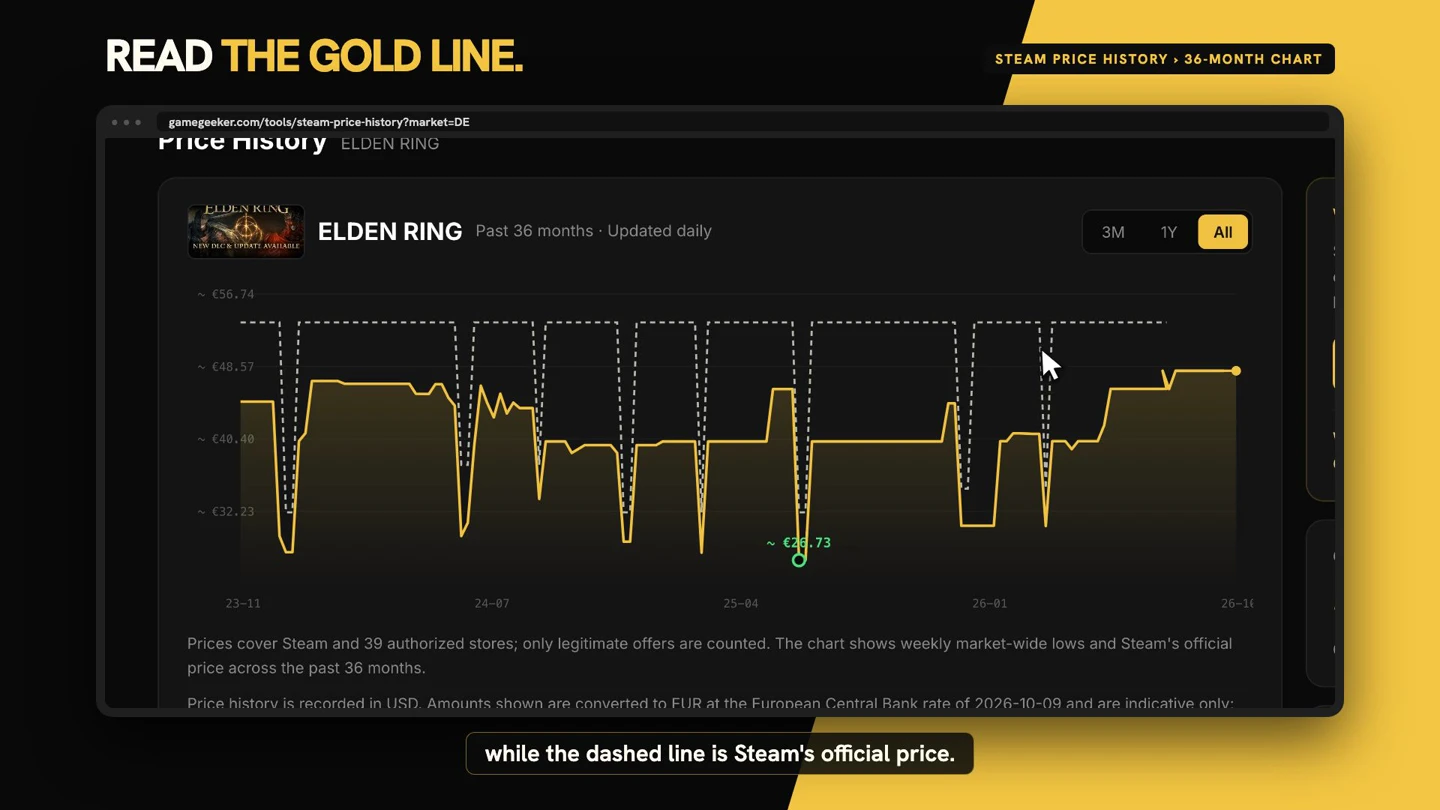
Click All to view the demonstrated 36-month range. The gold line marks the lowest price among stores GameGeeker tracks, while the dashed line represents Steam’s official price. The gold line moves in steps because stores run separate sales; this chart does not predict future prices or guarantee the same range for every game.
Compare Current and Historical Lows
Current Low Across Stores is the price you can buy now. Historical Low is the lowest recorded price, but that earlier sale may be over. Comparing the two figures shows how today’s price relates to the game’s recorded low before you decide whether the current offer is worthwhile.

Compare Store Offers
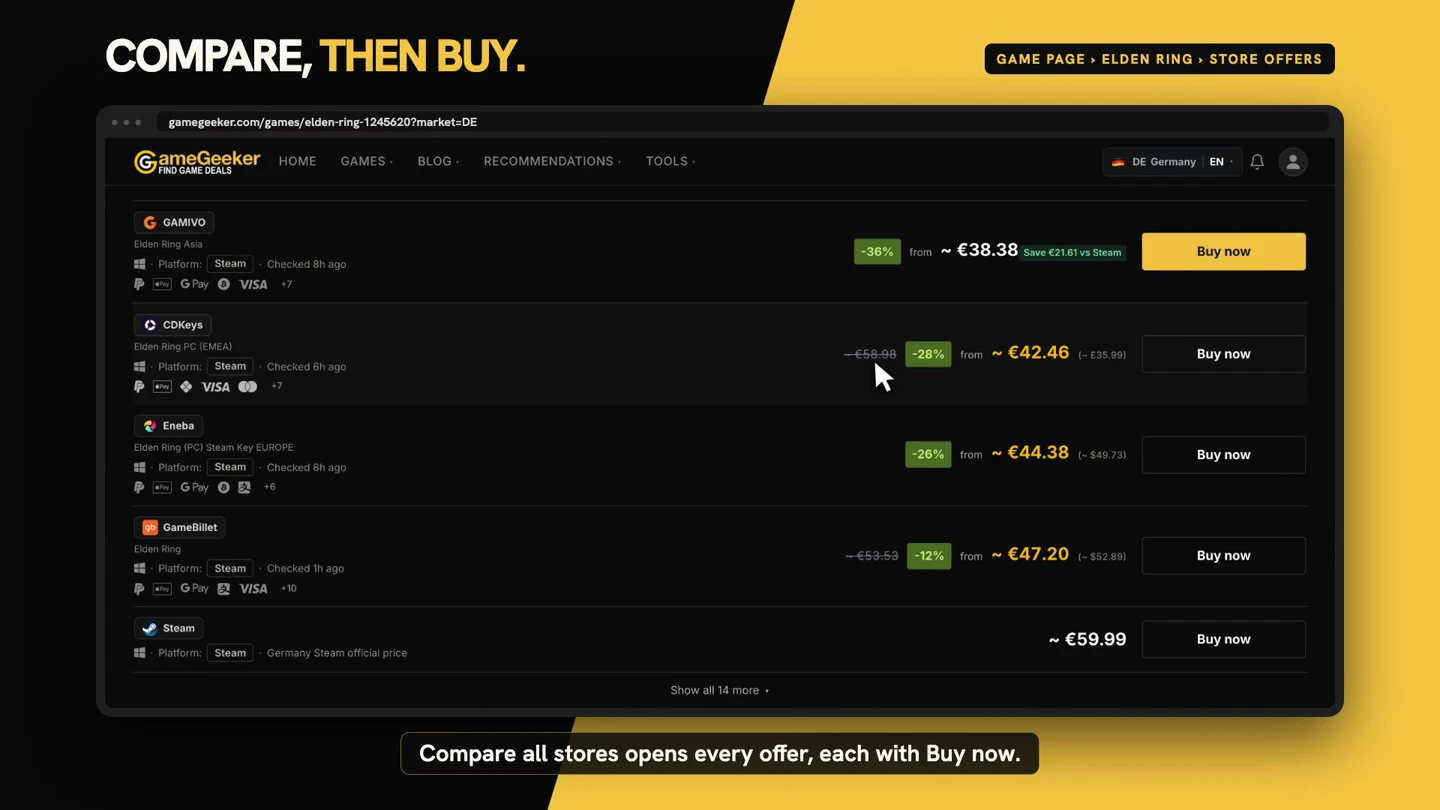
If today’s price works for you, select Compare all stores to open the game’s offers. Each row includes a Buy now button. Open the relevant store page and check its final price there before buying, rather than relying only on the amount shown in the comparison.
Set a Wishlist Price
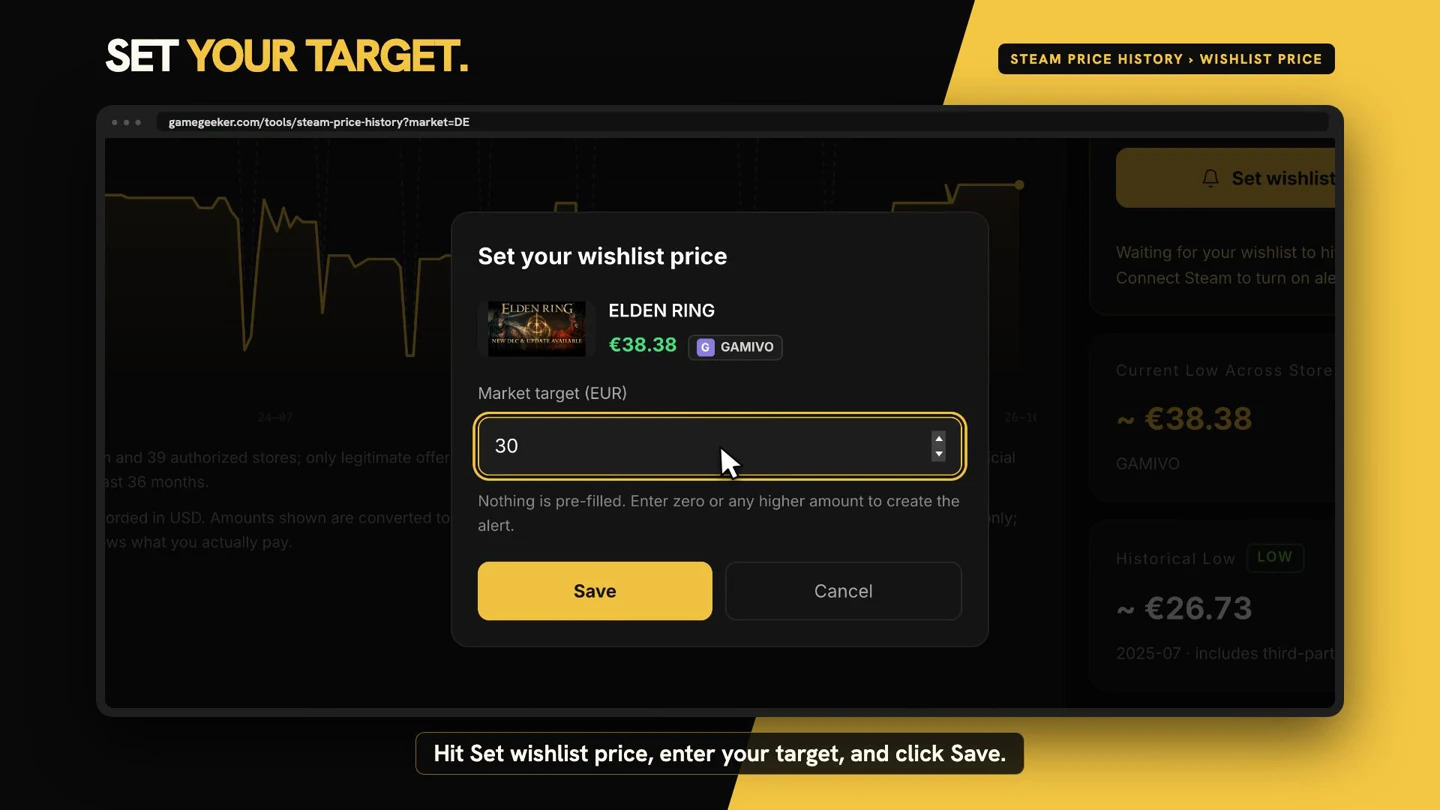
If the current low price isn’t satisfactory, sign in, click Set wishlist price, enter your target, and click Save. GameGeeker will email you when an eligible offer in the selected region reaches your target. It’s free once you’re signed in.