Steam Price History Checker
Look up any Steam game to see its price history across 37 stores, its historical low and the current low price, then decide whether to buy now or wait for a sale.
Price History
Example · Cyberpunk 2077How price data is calculated
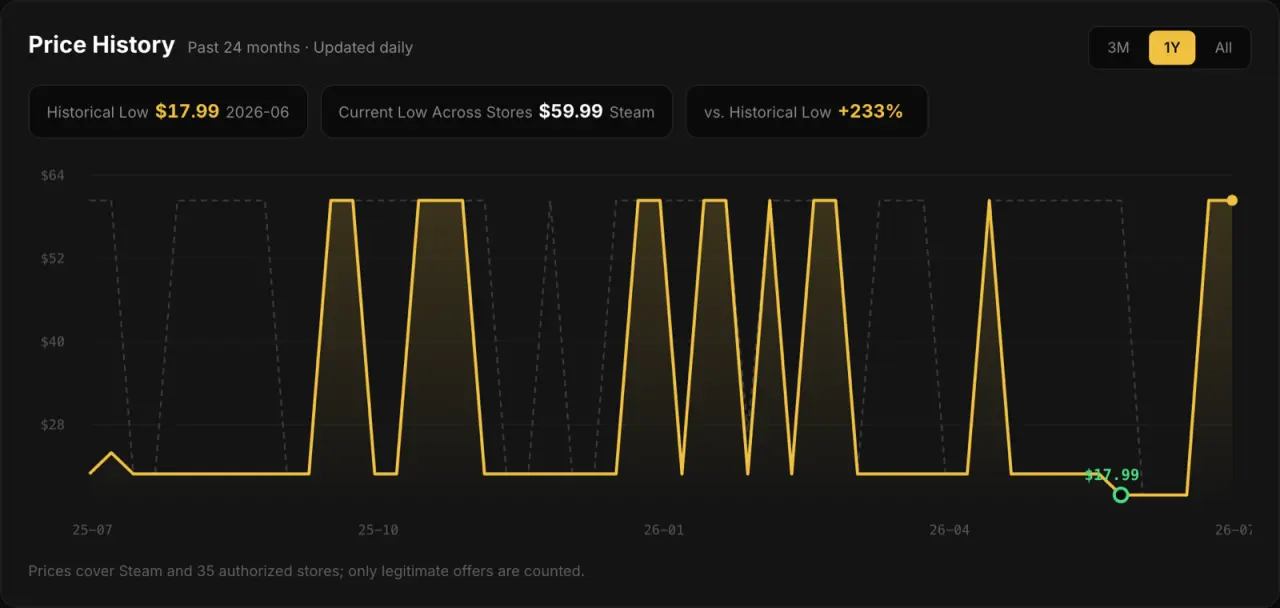
Data MethodologyGameGeeker organizes valid price records from Steam and tracked stores every day, then builds a weekly view of the past 36 months. The chart compares the market-wide low with Steam's official price so you can see where today's price stands.
Market-wide low
“Market-wide low” means the lowest valid offer within GameGeeker's current price coverage. Stock, regional restrictions and sale status can change, so confirm final price and availability on the store page.
36-month price chart
The chart creates weekly price points across the past 36 months for the market-wide low and Steam's official price. Records update daily, but the chart does not necessarily add a new point every day.
All-time recorded low
The all-time recorded low is the lowest valid offer recorded for the game. It may predate the 36-month chart, so it does not always equal the lowest point currently visible on the chart.
Shop region and currency
Switch Shop region to see current offers available in that region and amounts in its local currency. Historical prices use one consistent USD record; non-USD amounts are converted at the displayed European Central Bank rate for comparison only.
Why check prices on GameGeeker
What you get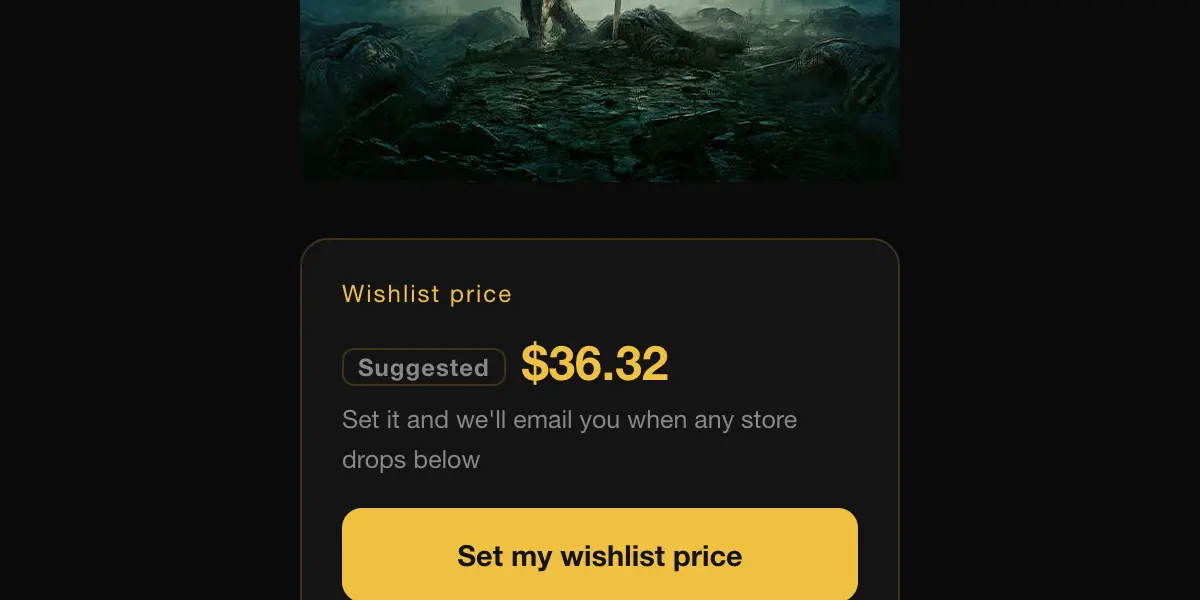
Wishlist price alerts
Set your own wishlist price on any game and get an email when any store drops below it. Free with sign-in, unsubscribe anytime.
Set a wishlist price for this game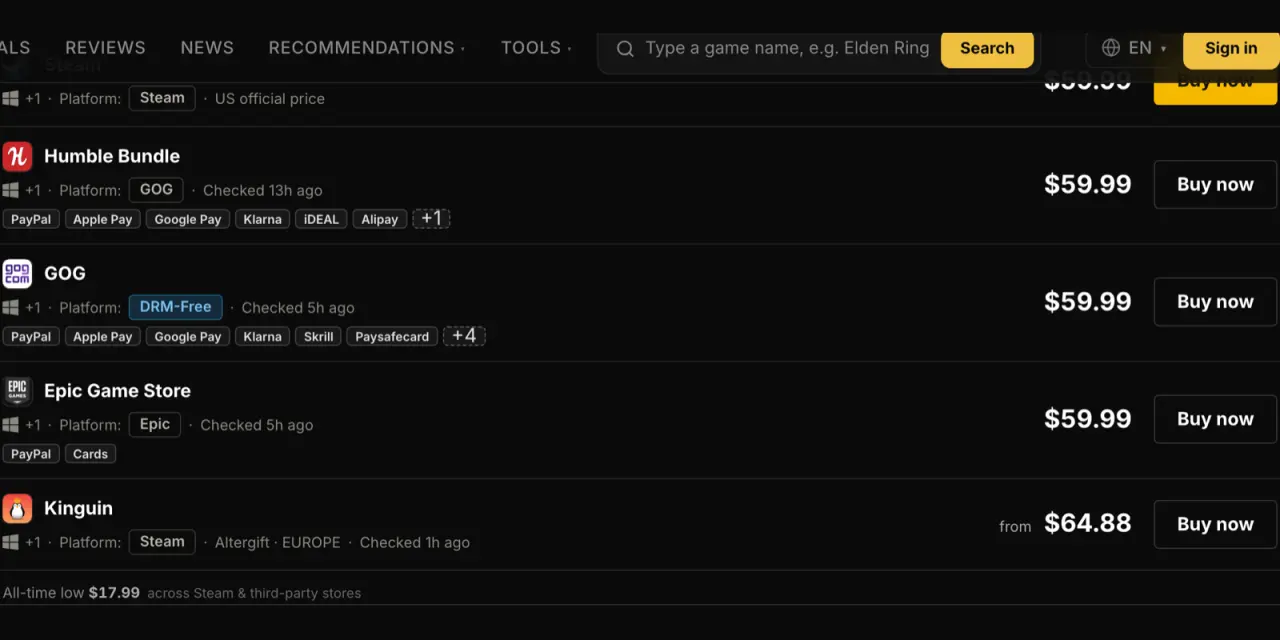
37 stores on one screen
Steam plus authorized resellers and CD key platforms such as GOG, Fanatical and Kinguin, compared side by side and refreshed daily.
Browse today's deals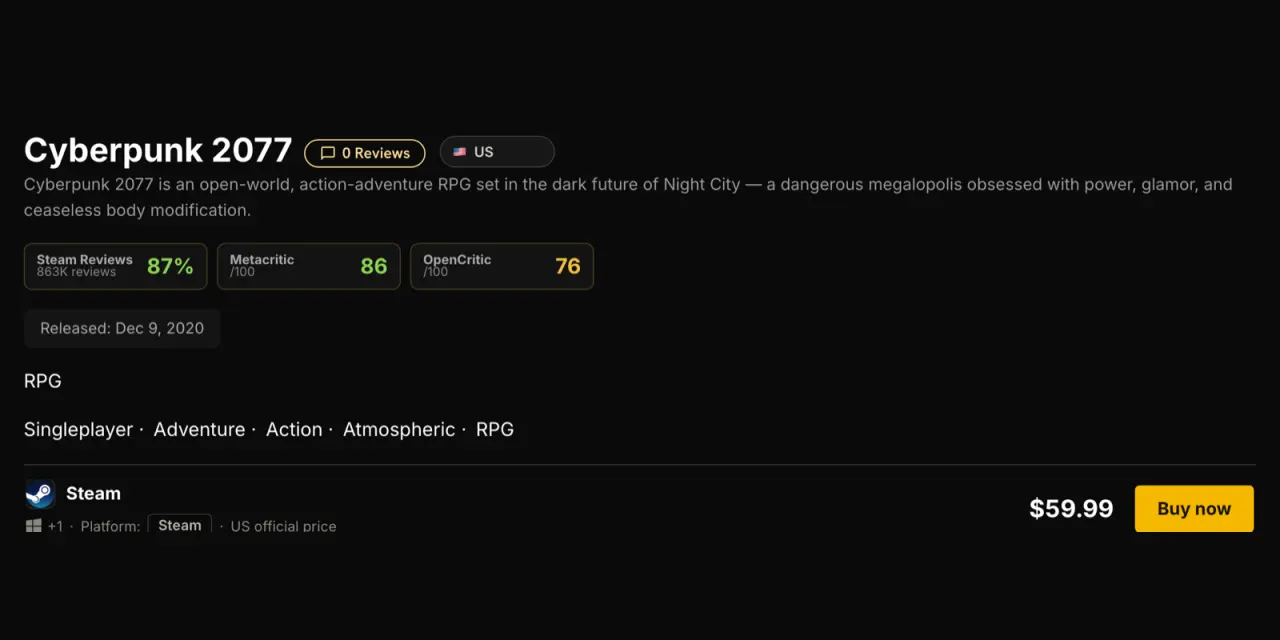
Prices for your shop region
Switch Shop region to see current offers available in that region and amounts in its local currency. Price history follows one consistent recording method; non-USD amounts are exchange-rate conversions for comparison only.
Open a game's price pageHow It Works
Three stepsSearch a game
Type a game name or paste a Steam store link. Fuzzy matching works in English and Chinese.
Read the chart
Compare the 36-month chart, the all-time recorded low and today's market-wide low, with Steam's official price as a reference.
Buy at a better price
Use price history and seasonal sale patterns to decide whether to buy now or wait, then jump straight to the store running the discount.
Understanding Price History
How to read the chartWhat counts as a historical low
The historical low is the lowest valid offer recorded since tracking began, together with its date and sale period. Only Steam and authorized channels count, and anomalous offers are excluded. The page chart covers 36 months, so an older all-time low can sit below the lowest point visible on the chart.
Why prices move so often
Every store runs its own sale schedule and regional pricing, and CD key platforms set their own prices. A game typically goes through several discount rounds a year, so a step-shaped chart is normal — most dips line up with a store sale.
When it makes sense to buy
Watch how far today's price sits from the historical low and how close the next seasonal sale is. Within 10% of the low can be a useful buying reference; if the gap is wider, set a wishlist price and wait. Price history supports a decision but does not guarantee that the same discount will return.